

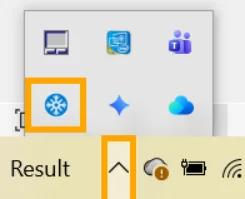
Learn how to use the Pixtel system tray icon to launch captures, access every capture mode instantly, and organize screenshots right after they're taken.
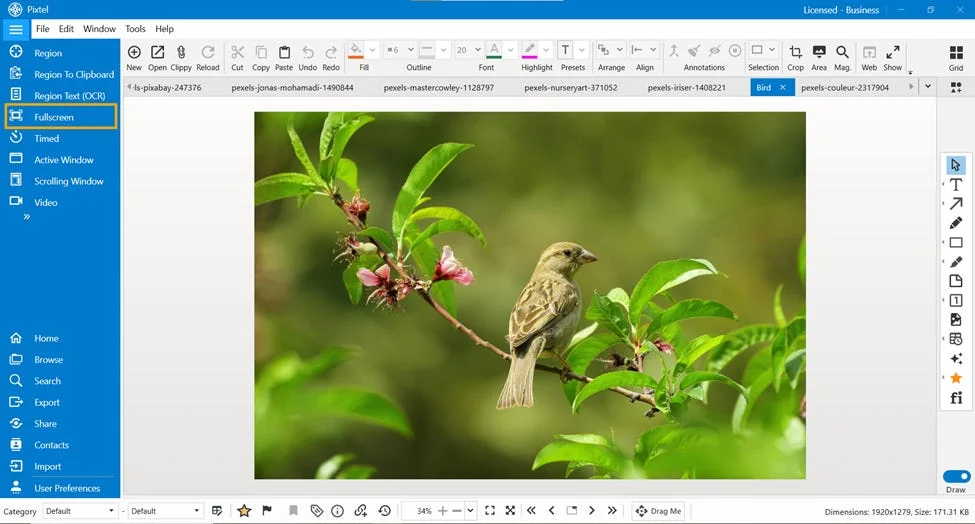
New to Pixtel? Learn how to capture your first screenshot, annotate it, set up shortcuts, and share to Jira or cloud drives — all in under 10 minutes.
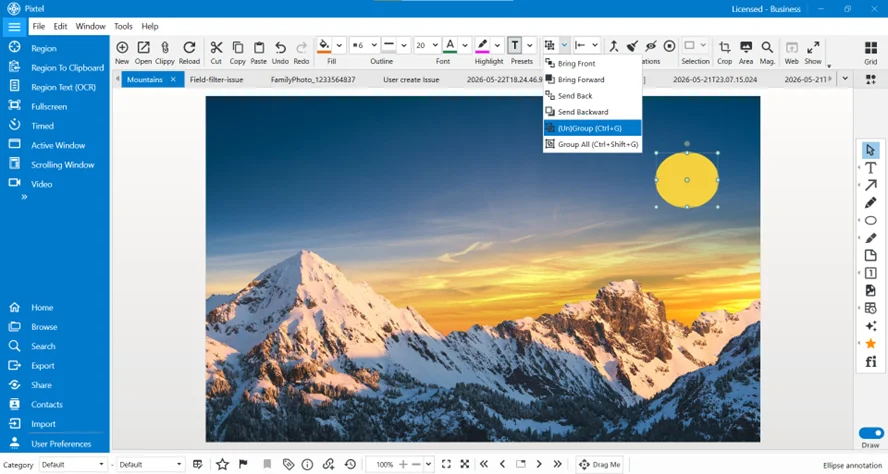
Learn how Pixtel's Arrange Annotation tools — Bring Front, Bring Forward, Send Back, Send Backward, Group, and Group All — organize overlapping image elements.
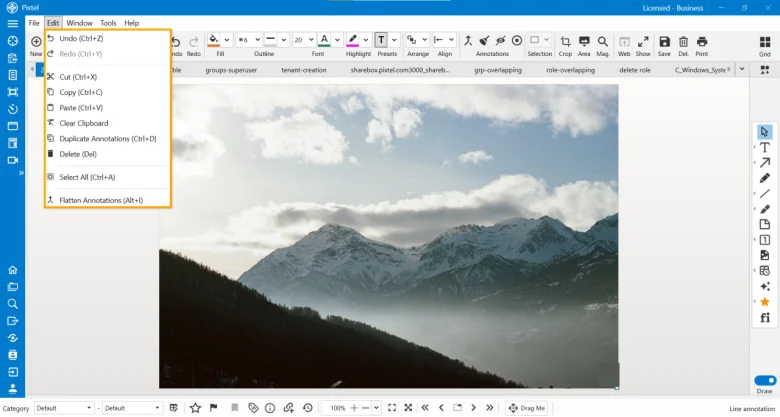
Explore Pixtel's Edit menu — Undo, Redo, Cut, Copy, Paste, Duplicate Annotations, Delete, Select All, and Flatten Annotations — with keyboard shortcuts.
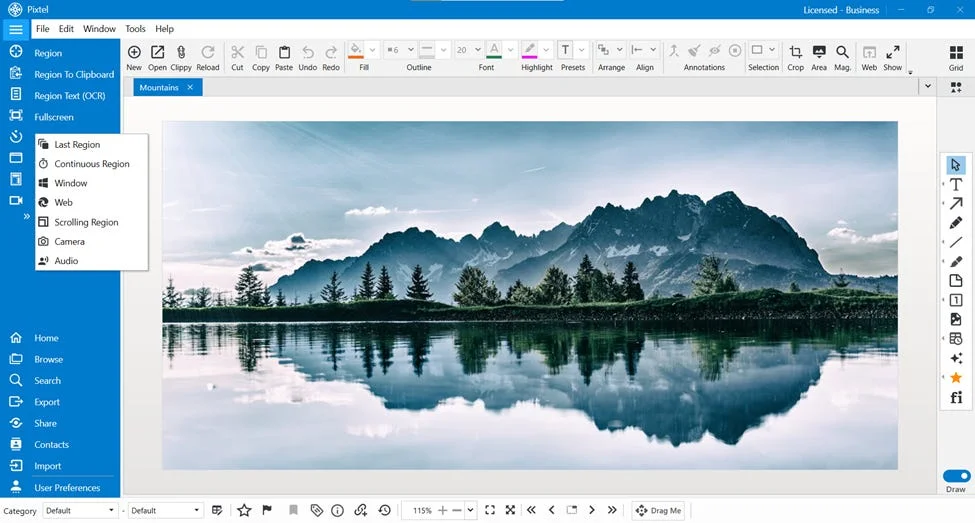
Learn 4 effortless ways to capture screenshots in Pixtel. Master region, full-screen, active window, and scrolling web captures to boost your workflow productivity.
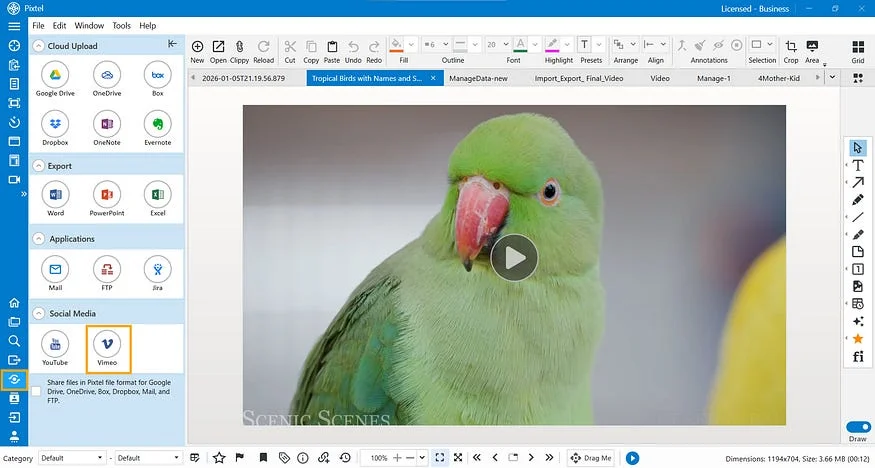
Learn how to upload single or multiple videos to Vimeo directly from Pixtel. Record, manage, connect your Vimeo account, and publish videos without switching platforms.
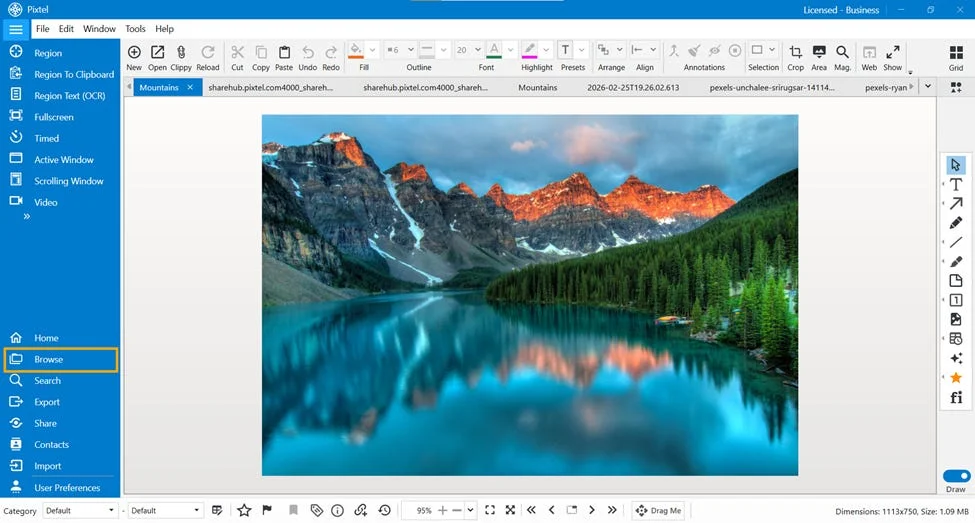
In our day-to-day work, we capture dozens of screenshots — tutorials, bug reports, references, designs, and more.
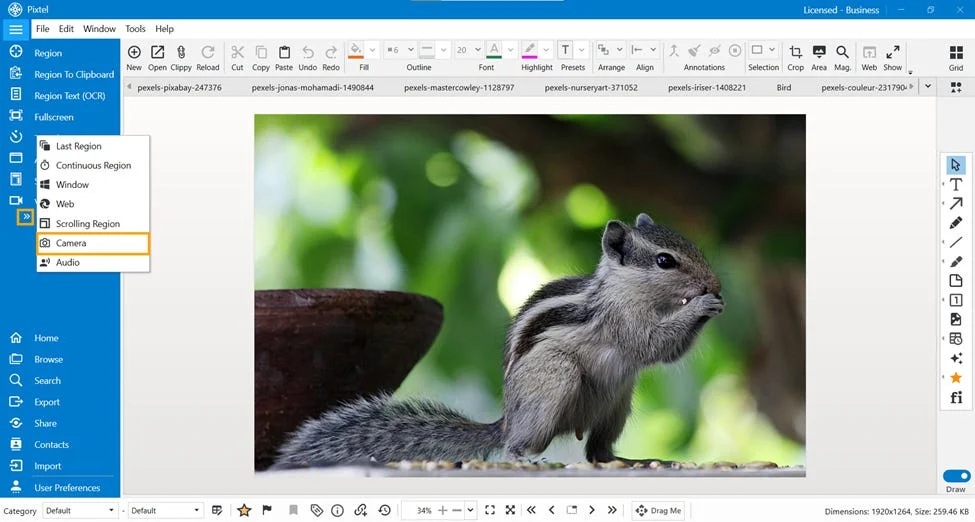
Learn how to use Pixtel’s Camera feature to capture images directly inside the app with device selection, resolution settings, frame rates, and customizable shortcuts.
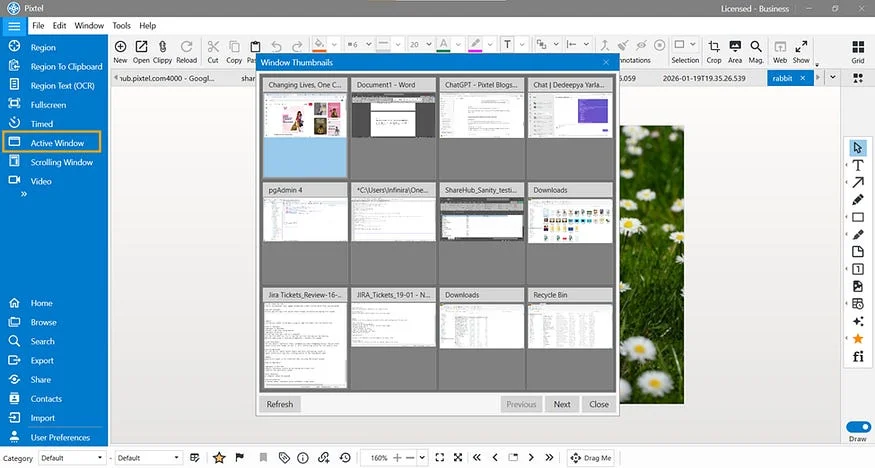
Learn how to capture any active window instantly with Pixtel. Select open taskbar windows, capture screenshots automatically, and annotate or share them in seconds.
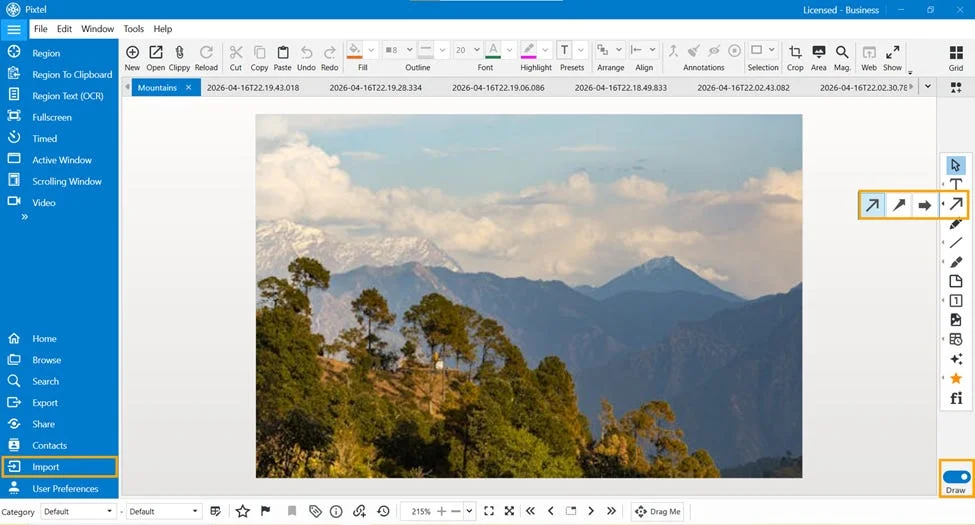
Learn how to use Pixtel arrows to annotate screenshots, highlight important details, guide attention, and create clear visual explanations.
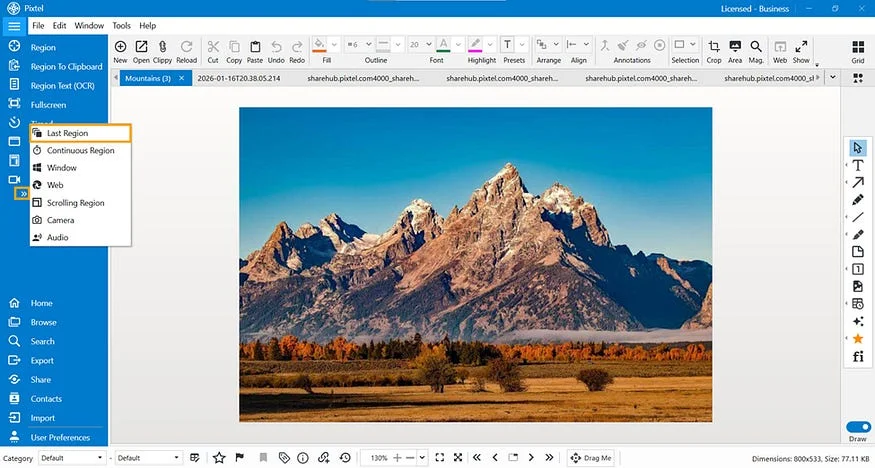
Learn how Pixtel’s Last Region feature helps you repeatedly capture the same screen area instantly using the menu bar or a customizable shortcut.
Learn how to use Clip Art and Images in Pixtel to capture, import, drag and drop visuals, and manage custom image sources for faster editing.
Learn how to use Pixtel color effects to replace colors, fill areas, convert images to grayscale, and apply halftone effects without advanced editing tools.
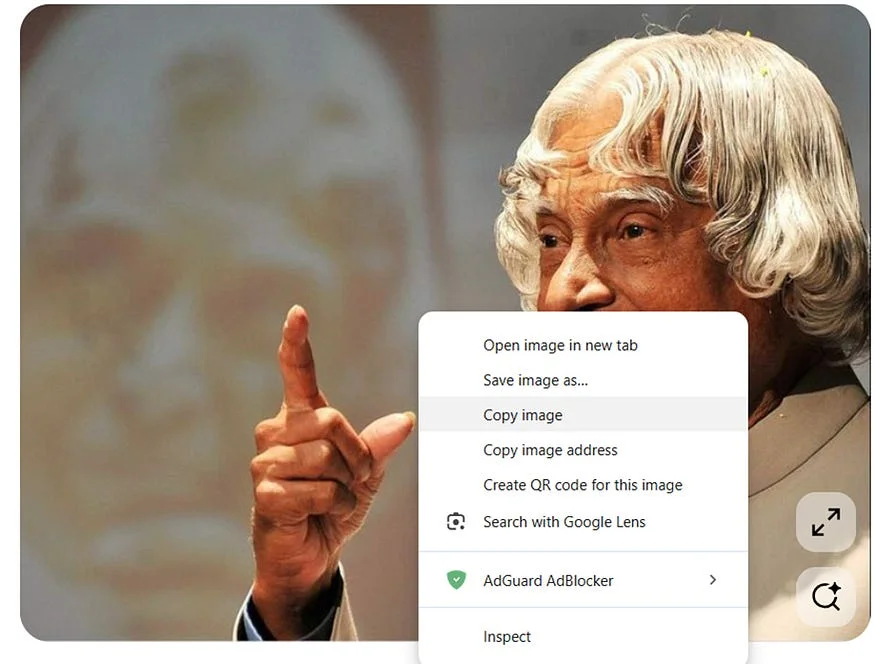
Learn how to copy and paste images directly into Pixtel from any app, open them in a new tab, edit them instantly, and share without downloading files.
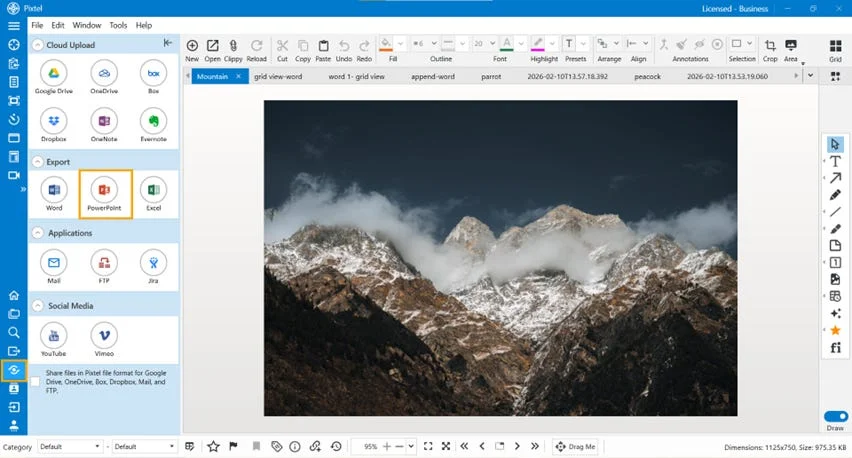
Learn how to create new PowerPoint presentations or append images to existing slides directly from Pixtel with layouts, slide sizes, templates, and bulk export.
Learn how to use Pixtel color effects like Posterize, Invert Colors, Black & White, and Desaturate to transform screenshots and images quickly.
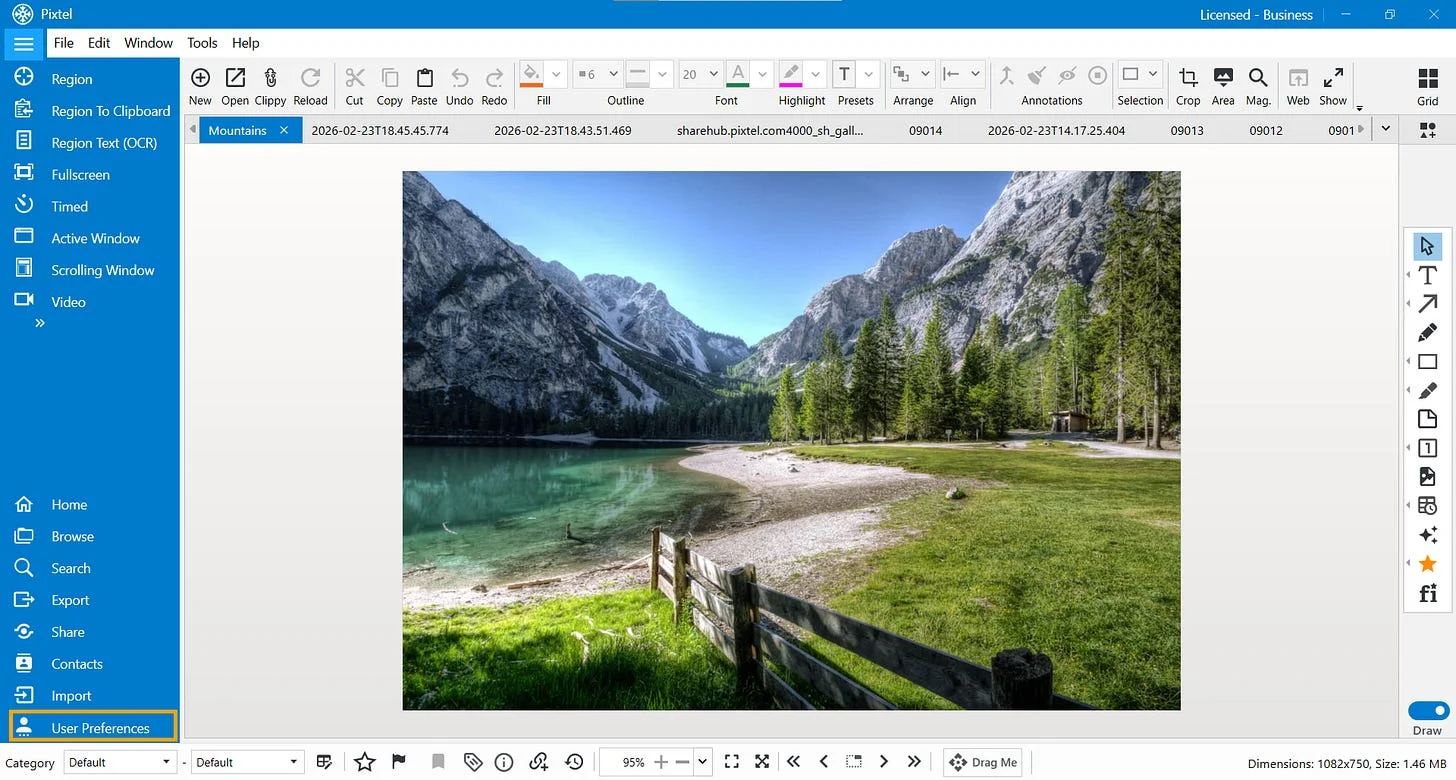
Learn how to customize Pixtel User Preferences, including open tab limits, auto-save settings, interval timing, and shortcut keys for a faster workflow.
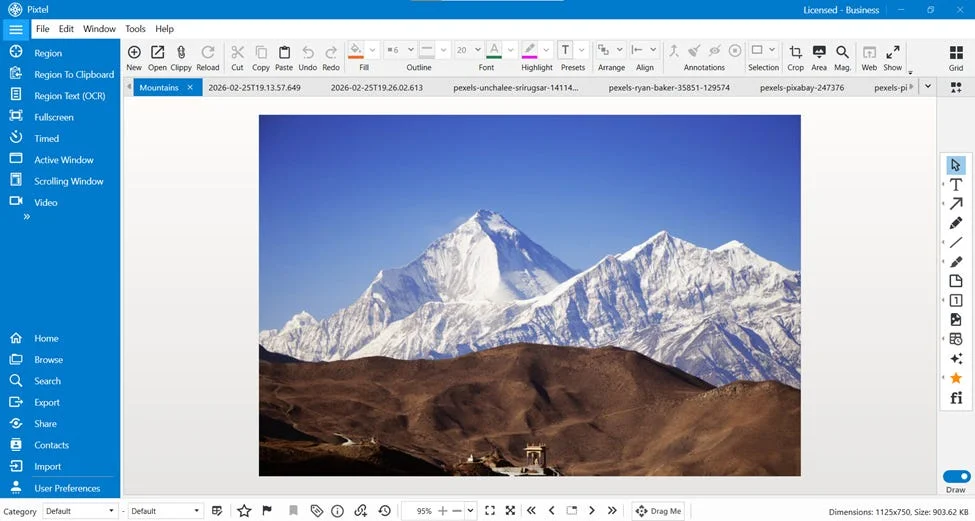
Learn how to use Pixtel Collage and Collate to combine multiple screenshots into organized layouts for documentation, presentations, reports, and visual summaries.
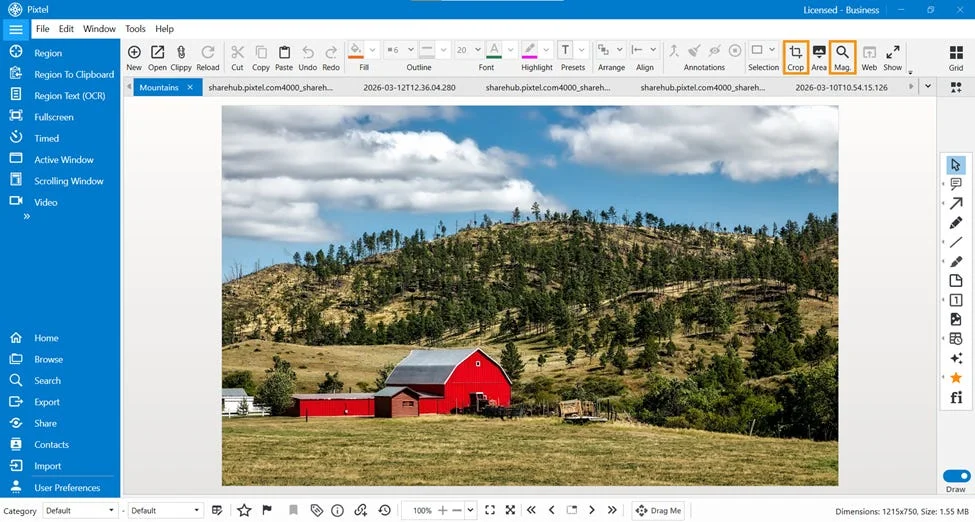
Learn how to use Pixtel’s Crop and Magnifier tools to remove unwanted image areas, zoom into important details, and make visuals clearer.
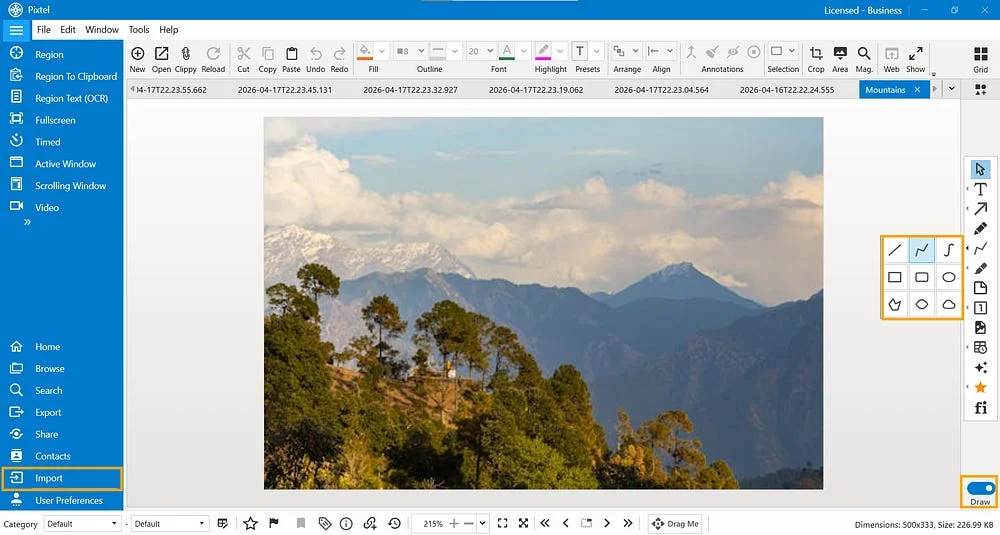
Learn how to use and customize Pixtel drawing tools, including lines, rectangles, ellipses, polygons, freehand shapes, and shape properties for clearer annotations.
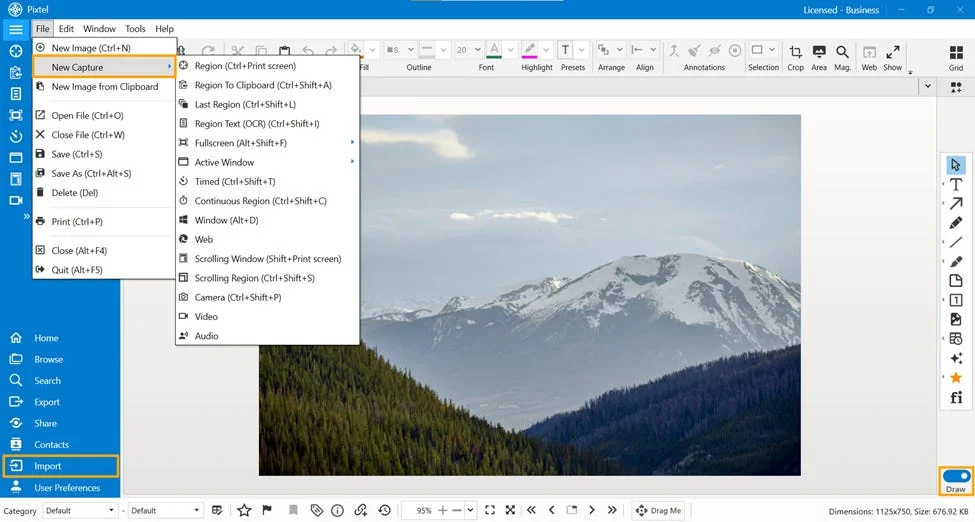
Learn how to use Pixtel Draw Mode to add timestamps, rubber stamps, and clickable link annotations to images for clearer documentation and sharing.
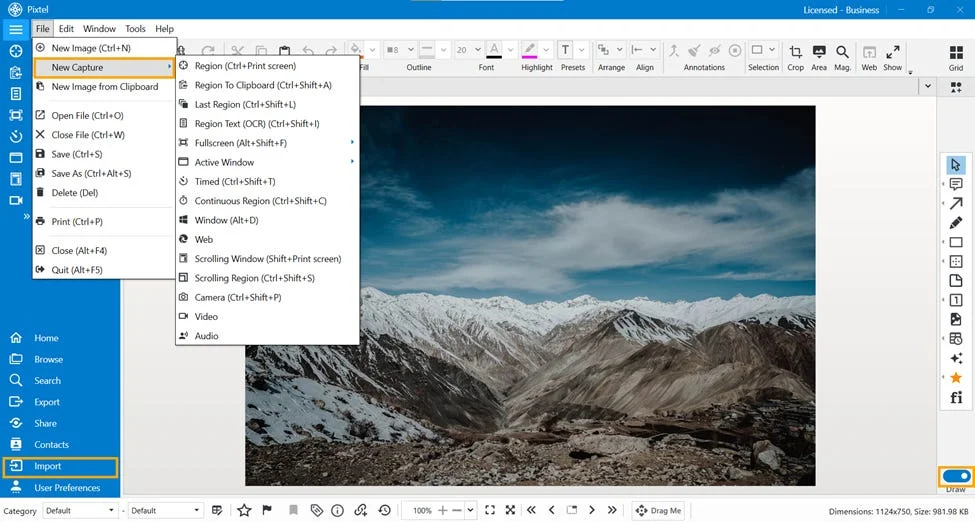
Learn how to edit and highlight images in Pixtel using Draw Mode tools like rectangle highlights, blur, image borders, and eraser for clearer screenshots.
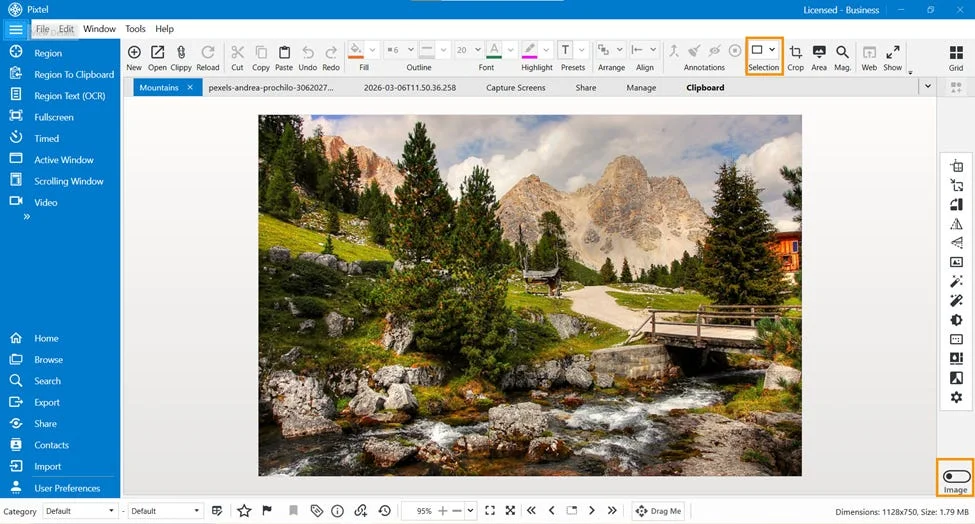
Learn how to use Pixtel Selection tools to edit specific image areas with rectangular, ellipse, lasso, polygon, and curved selections.
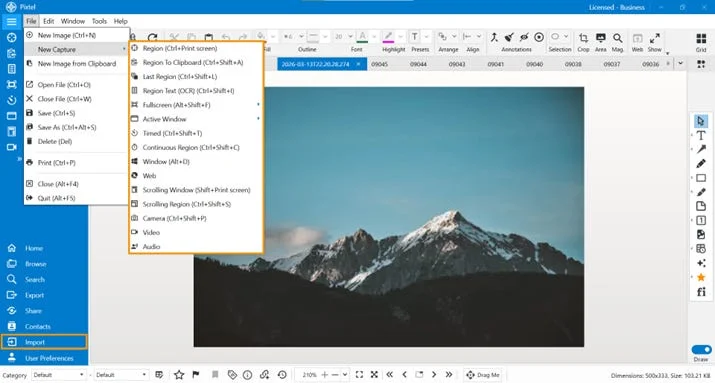
Learn how to edit screenshots in Pixtel using Cut, Copy, Paste, Undo, Redo, and Draw Mode tools after capturing or importing images.
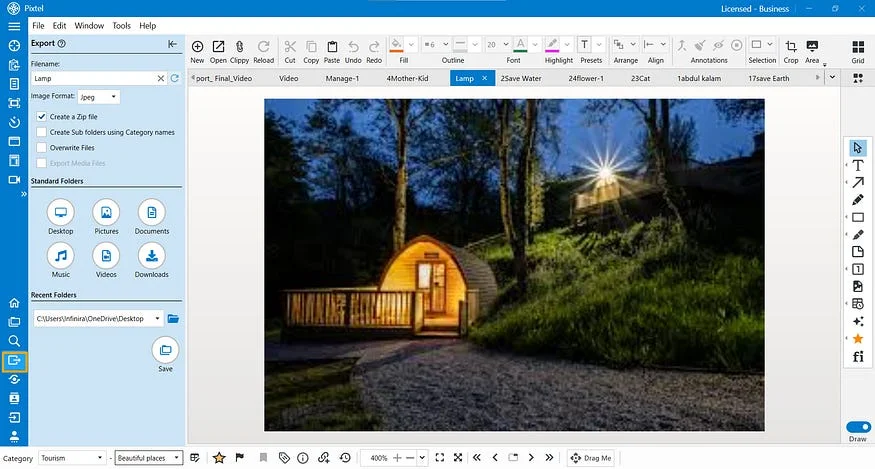
Learn how to export images and videos from Pixtel to standard or recent folders with ZIP creation, bulk export, category structure, renaming, and format options.
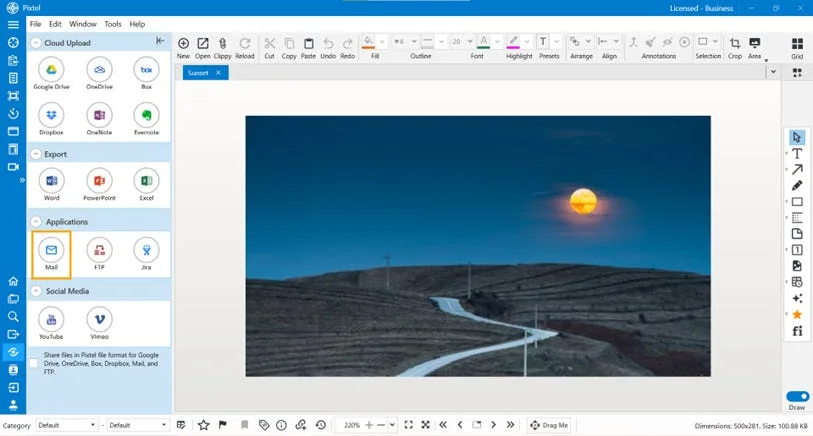
Learn how to use Pixtel Email Integration to send screenshots, images, and documents with provider setup, OAuth2 authentication, smart contacts, and templates.
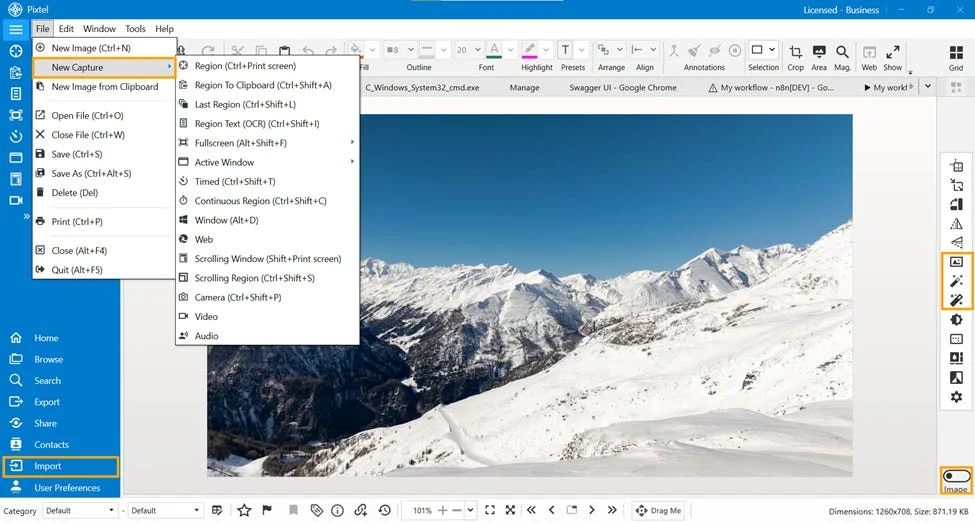
Learn how to enhance images in Pixtel using Image Mode tools like Image Border, Auto Level, and Auto Color Correction for cleaner visuals.
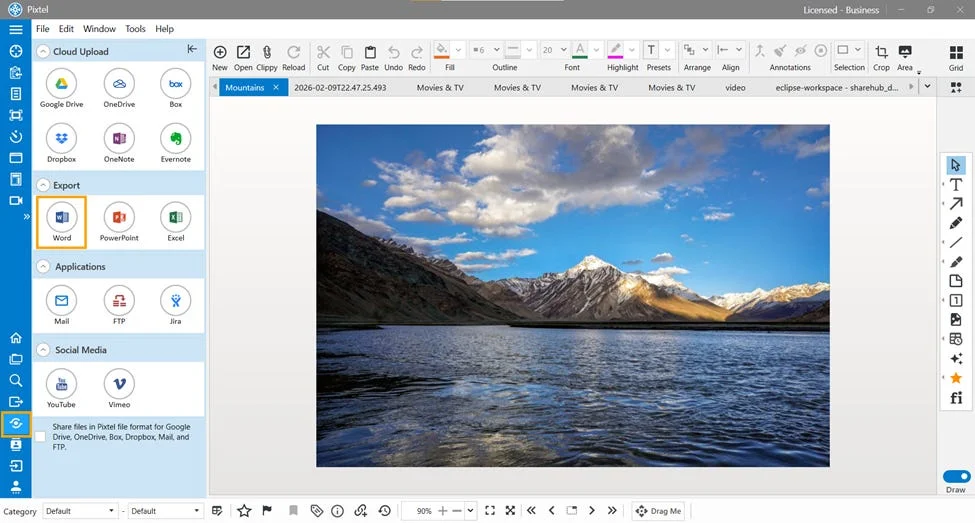
Learn how to export screenshots and images from Pixtel to Word documents with borders, scaling, page orientation, page breaks, previews, and bulk export.
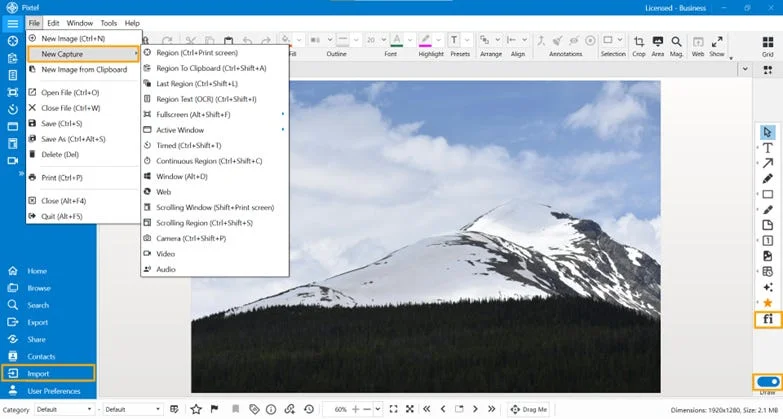
Learn how to use Pixtel’s Favorite Icons feature to browse, search, customize, reuse, and export icons directly inside your screenshot editing workspace.
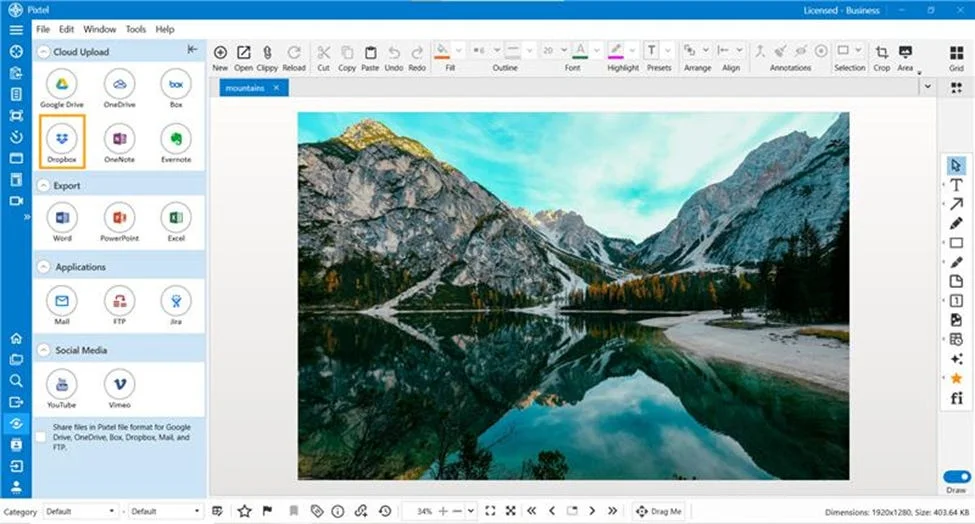
Learn how to upload screenshots and images from Pixtel to Dropbox, connect accounts, choose folders, upload multiple files, and manage Dropbox accounts.
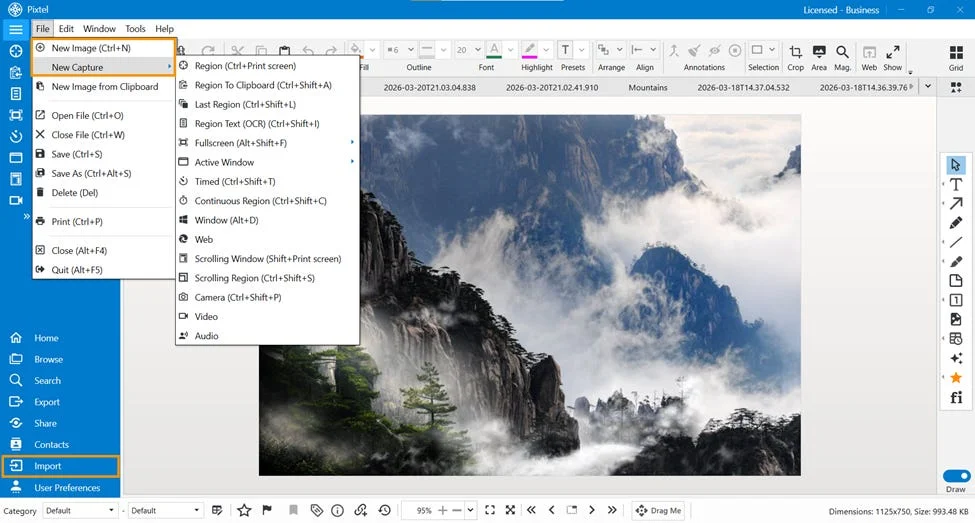
Learn how to flatten annotations in Pixtel to merge text, shapes, arrows, and highlights into your final image for clean sharing and export.
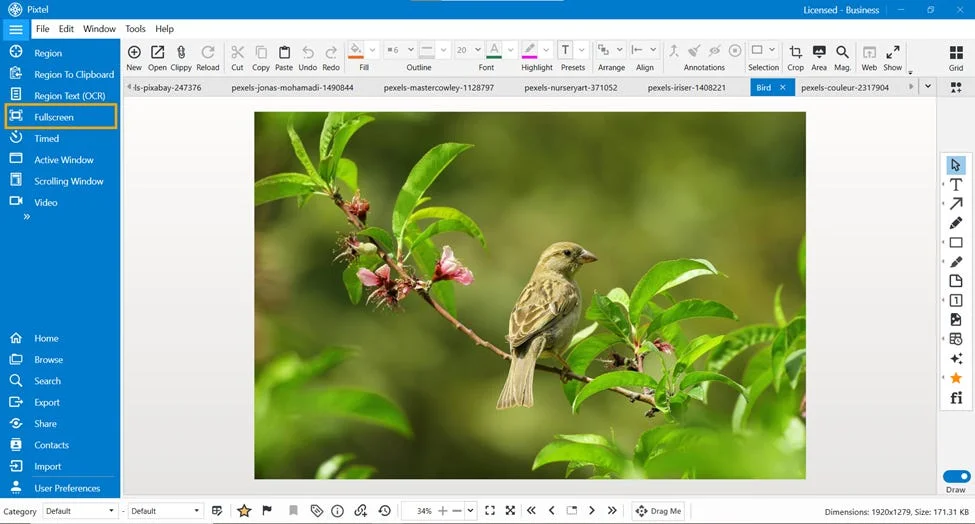
Learn how to use Pixtel Full Screen Capture to capture a single display or all monitors with or without the taskbar, plus shortcuts and display settings.
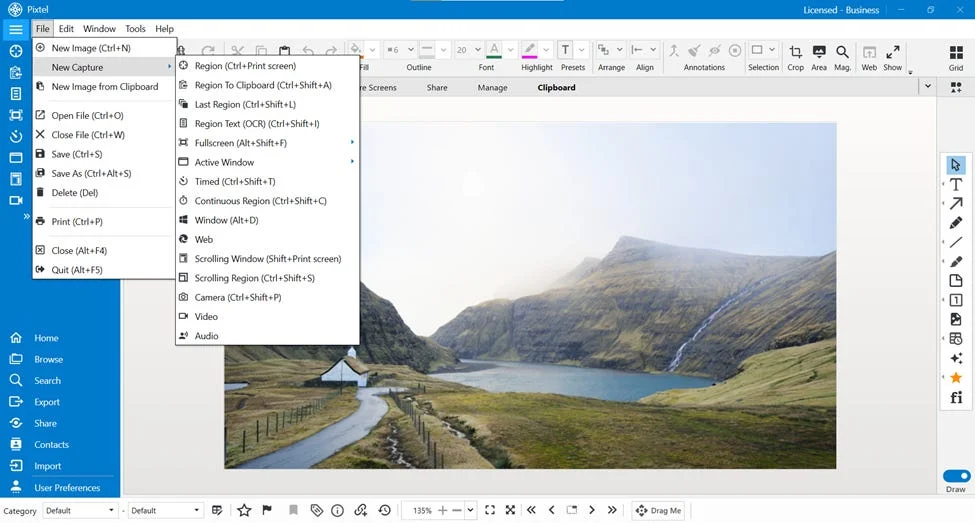
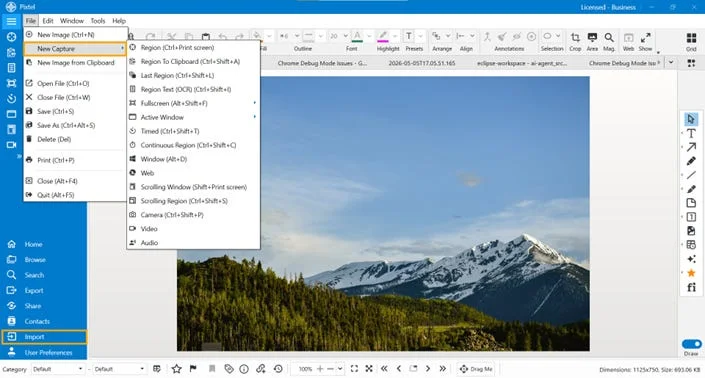
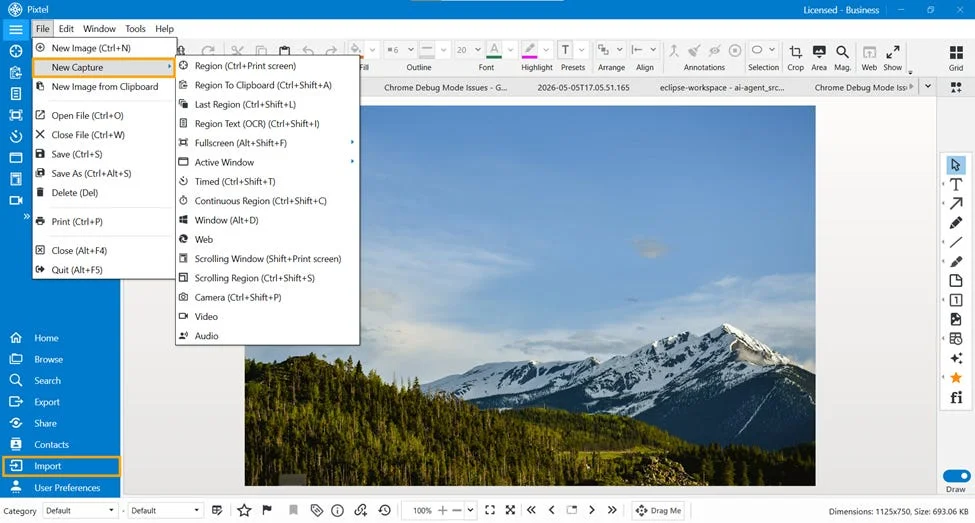
Learn the different ways to add files into Pixtel, including screenshot capture modes, OCR, video and audio capture, importing images, and opening files from the toolbar.
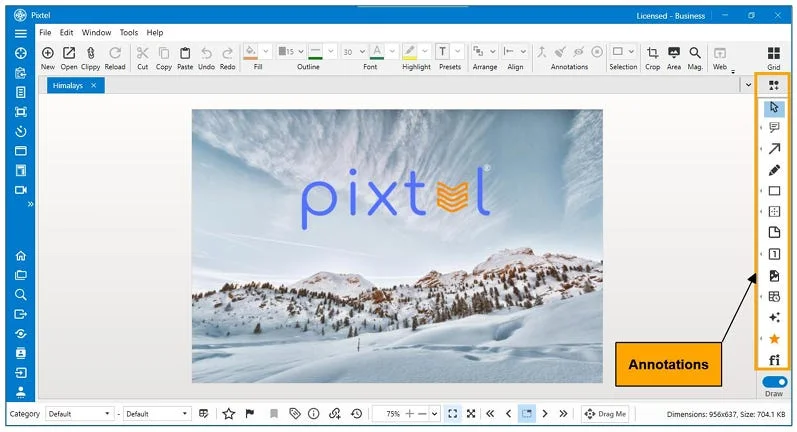
Learn how to annotate images in Pixtel using arrows, text boxes, callouts, shapes, sticky notes, icons, timestamps, links, and annotation preferences.
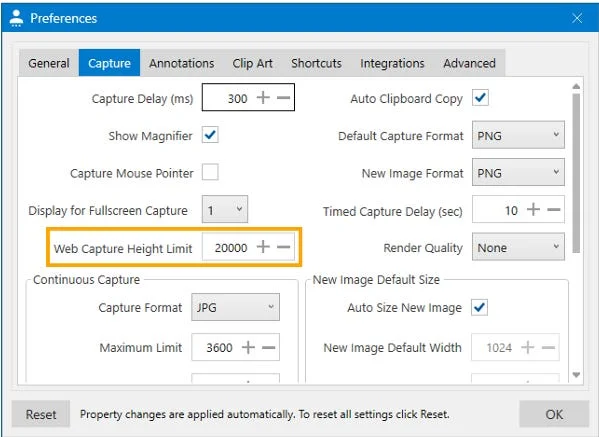
Learn how to capture full webpages in Pixtel using Web Capture, set capture height limits, edit captured pages, and revisit the original webpage URL.
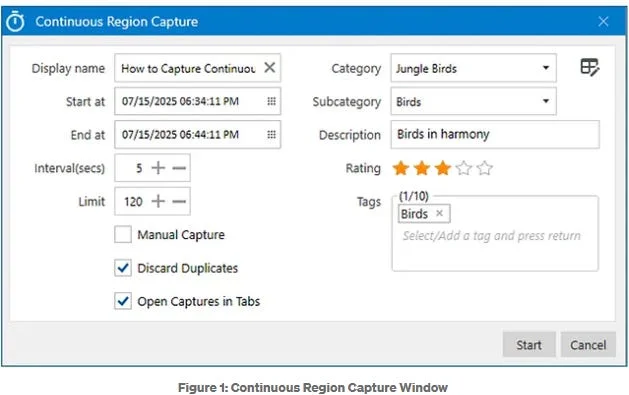
Learn how to use Pixtel Continuous Region Capture to capture a fixed screen area at intervals, avoid duplicates, add metadata, and review captures.
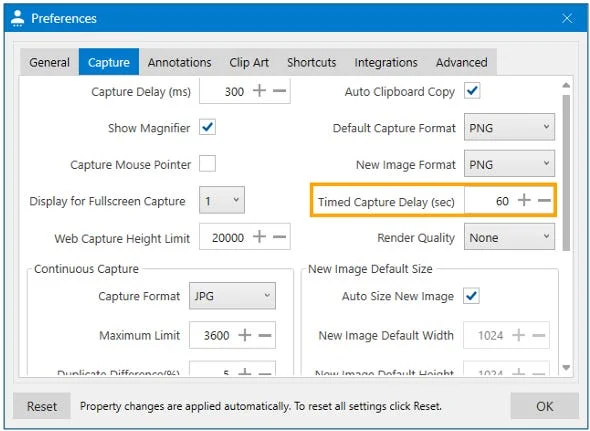
Learn how to capture delayed screenshots with Pixtel Timed Capture, set custom timer delays, capture dropdowns and tooltips, and use shortcut keys.
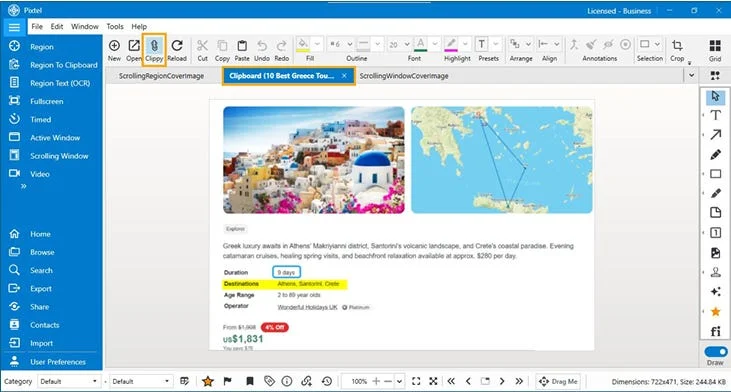
Learn how to capture a selected screen region directly to your clipboard using Pixtel. Copy, annotate, manage, and share screenshots instantly with Clippy.

Learn how to capture scrolling regions with Pixtel, including long webpages, chat threads, code panels, embedded frames, shortcut keys, and source URL access.
Learn how to capture scrolling regions with Pixtel, including long webpages, chat threads, code panels, embedded frames, shortcut keys, and source URL access.
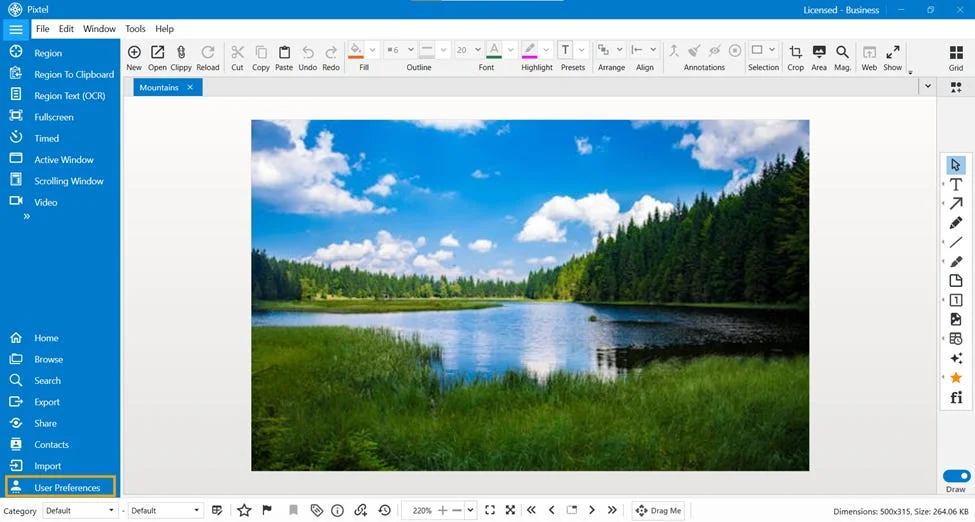
Learn how to customize Pixtel capture settings for screenshots, scrolling capture, continuous capture, video recording, clipboard copy, cursor capture, and output formats.
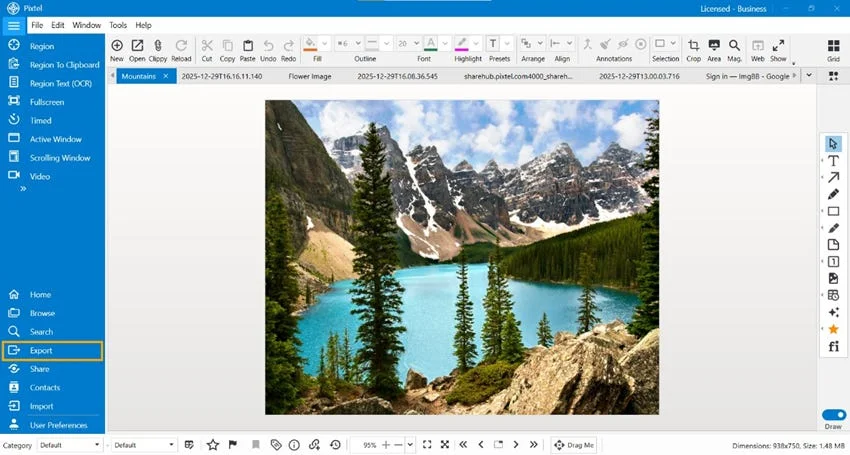
Learn how to convert and export images with Pixtel in PNG, JPEG, BMP, GIF, TIFF, WebP, and PI formats, including single-image and batch conversion workflows.
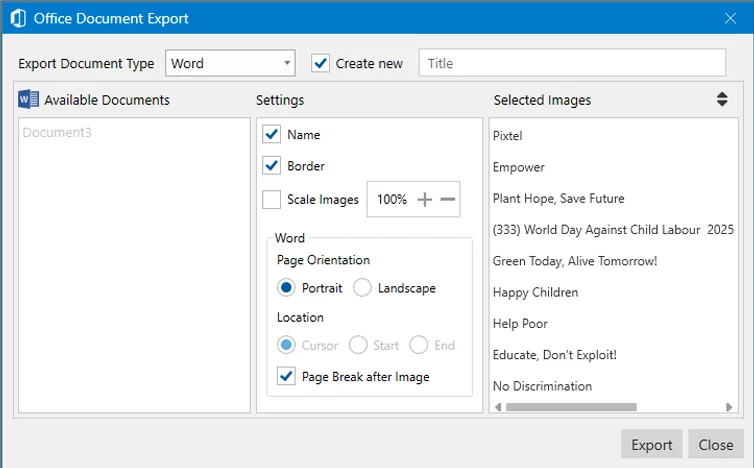
Learn how to export screenshots and images from Pixtel directly to Microsoft Word, PowerPoint, and Excel, including batch Office export options and layout settings.
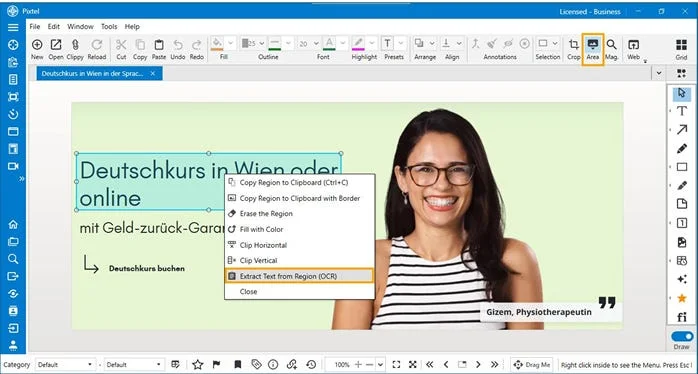
Learn how to extract editable text from screenshots, scanned documents, and images using Pixtel OCR, Region Text Capture, Area tool, and shortcut keys.
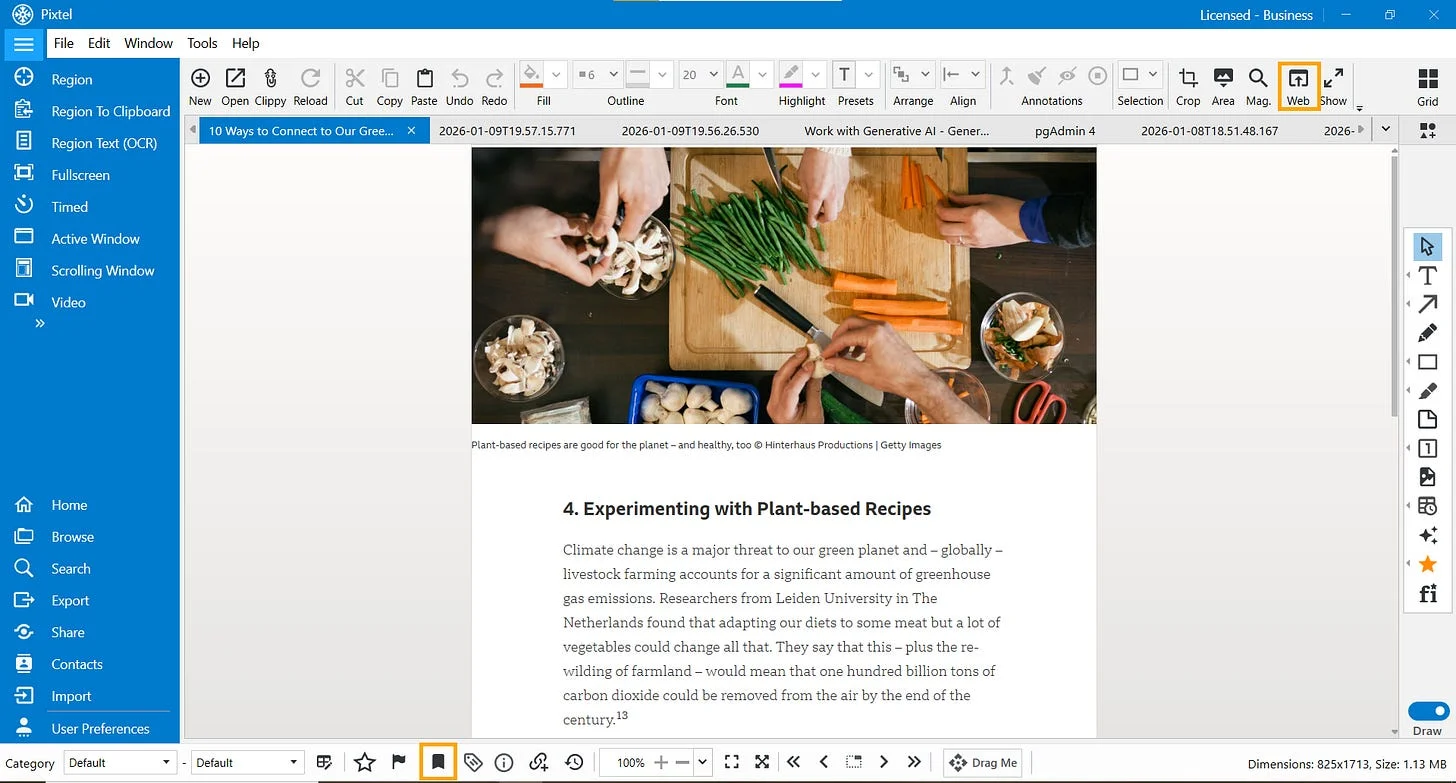
Learn how Pixtel preserves original webpage URLs and application metadata so you can reopen the source page of captured screenshots with the Web icon and Info panel.
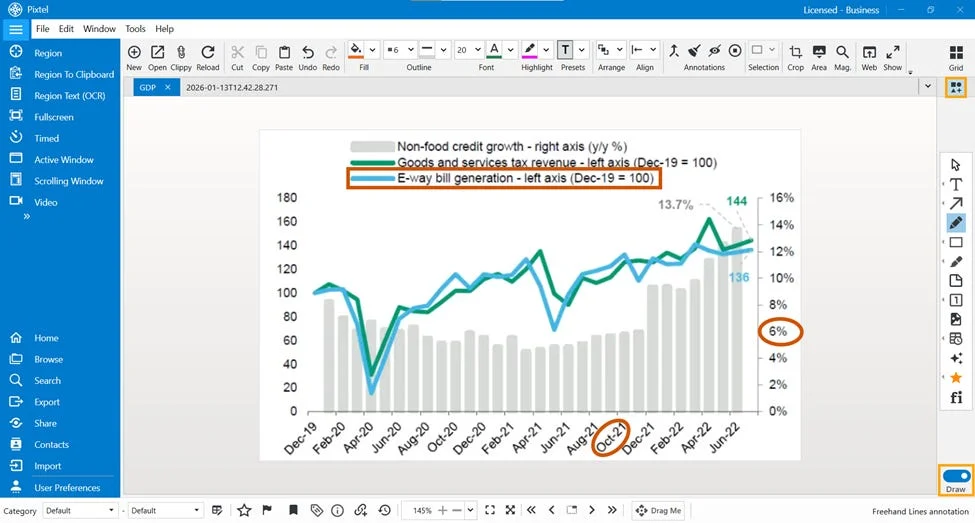
Learn how to use Pixtel Smart Pencil to highlight screenshots, draw clean shapes, convert rough freehand drawings into geometry, and share annotated images.
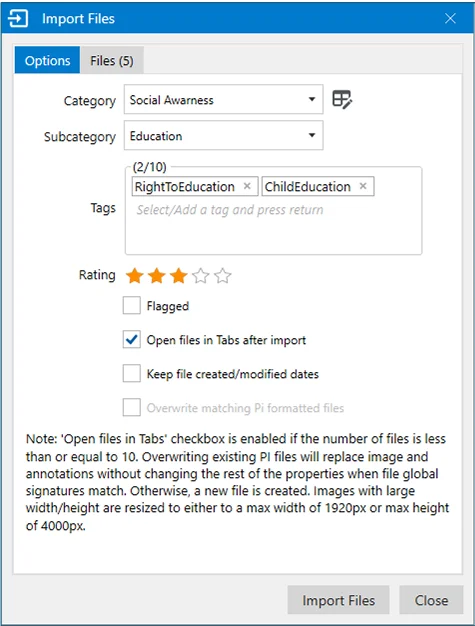
Learn how to import images, videos, and audio files into Pixtel, annotate captures, export media in multiple formats, save to folders, or package files as ZIP archives.

Learn how to manage Pixtel capture data with local backup, restore, data relocation, cleanup tools, duplicate removal, and future cloud backup and sync options.
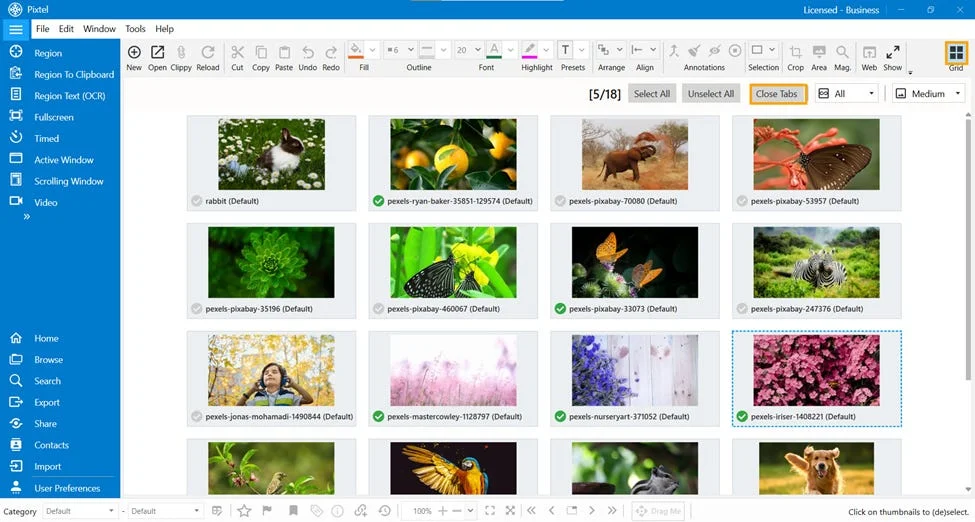
Learn how to organize multiple screenshots in Pixtel using Grid View, remove unwanted captures in bulk, arrange images, and present them instantly as a slideshow.
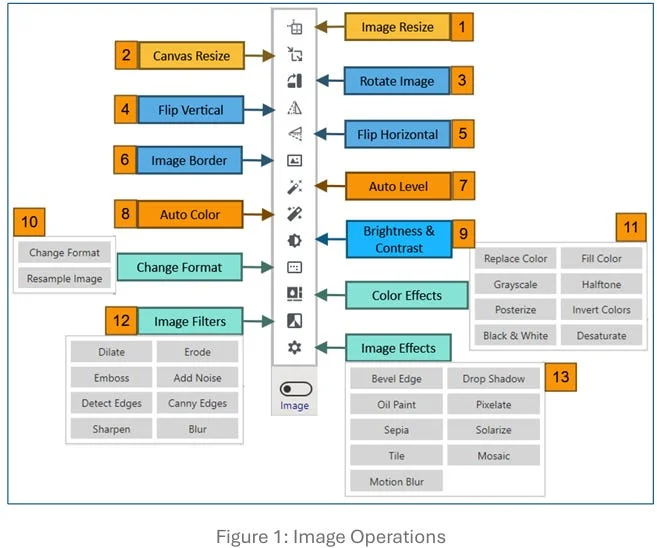
Learn how to use Pixtel Image Operations to resize images, adjust canvas size, rotate, flip, add borders, auto-enhance, apply filters, effects, and precise selections.
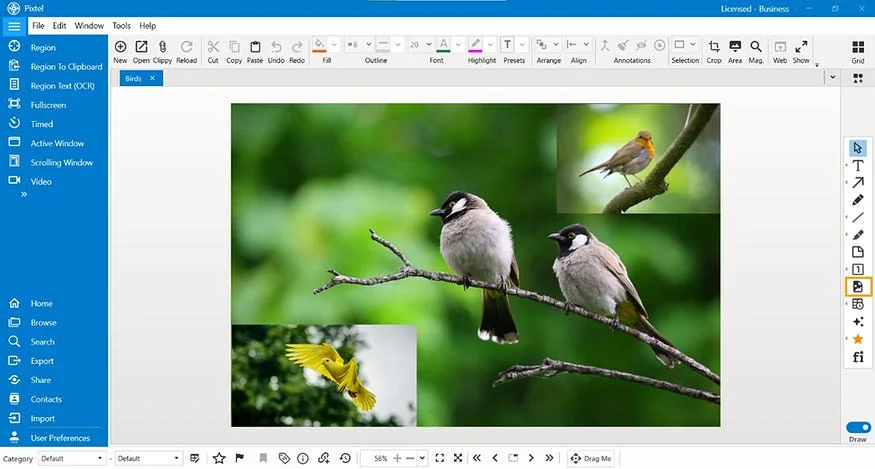
Learn how to overlay one image on another in Pixtel using paste shortcuts, Draw Mode, and the Embedded Image option to create clear combined visuals.
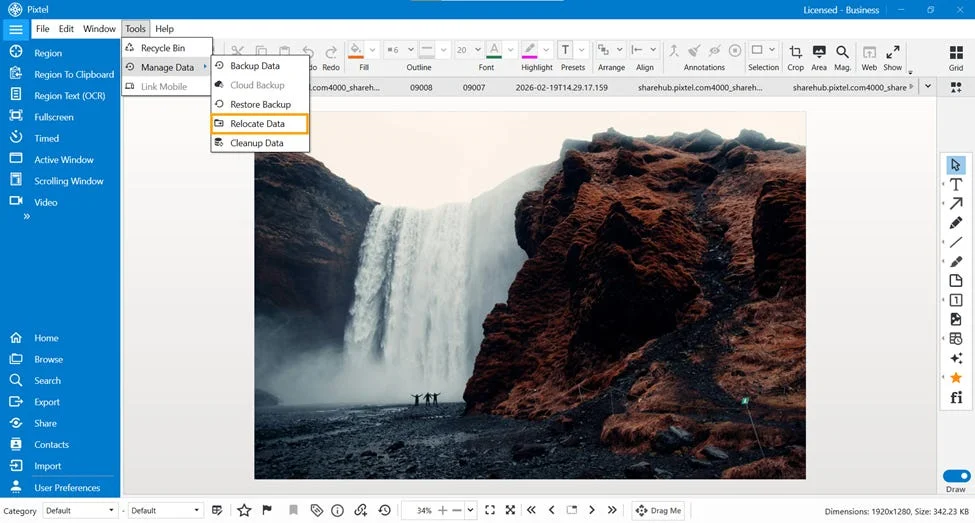
Learn how to safely relocate Pixtel screenshot data to another drive or folder using Manage Data, check file size and available space, and keep storage organized.
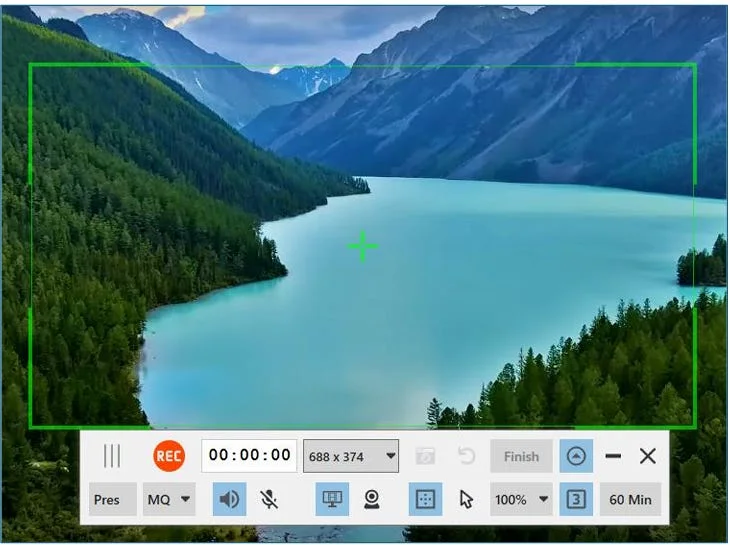
Learn how to record your screen, camera, or both with Pixtel, capture snapshots, manage audio and cursor effects, adjust quality, and share videos instantly.
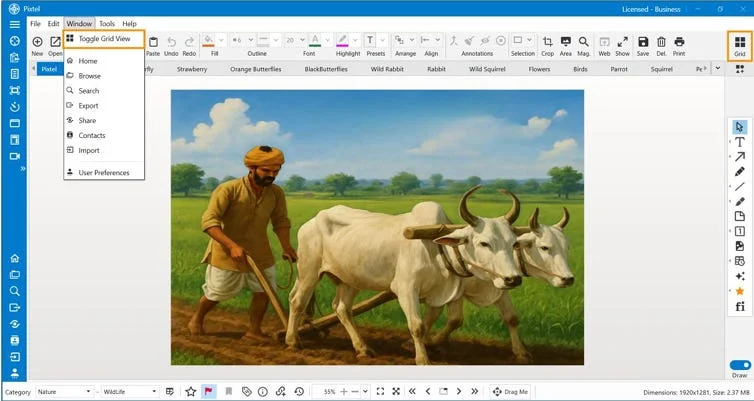
Learn how to manage multiple screenshots, images, videos, and audio files in Pixtel Grid View with thumbnails, media filters, bulk tagging, collage, collate, and Office export.
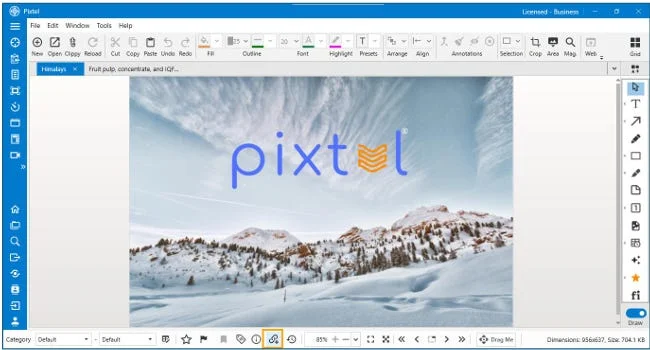
Discover how to seamlessly create, copy, and share image links in Pixtel with custom auto-delete settings and one-click sharing.
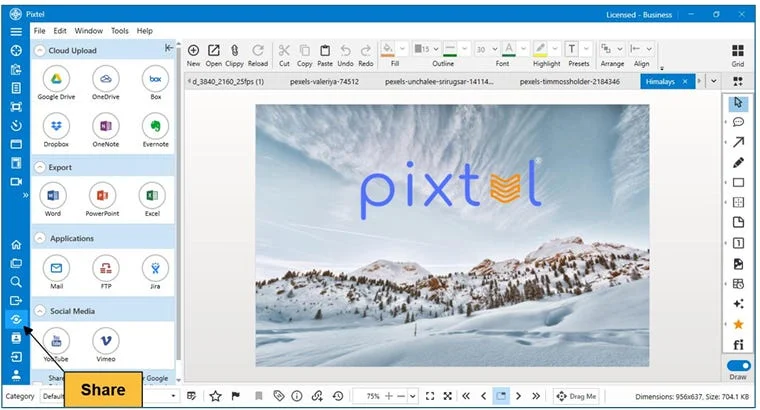
Learn how to share Pixtel captures through cloud uploads, Office export, email, Jira, FTP, OneNote, Evernote, YouTube, Vimeo, and bulk sharing from Grid View.
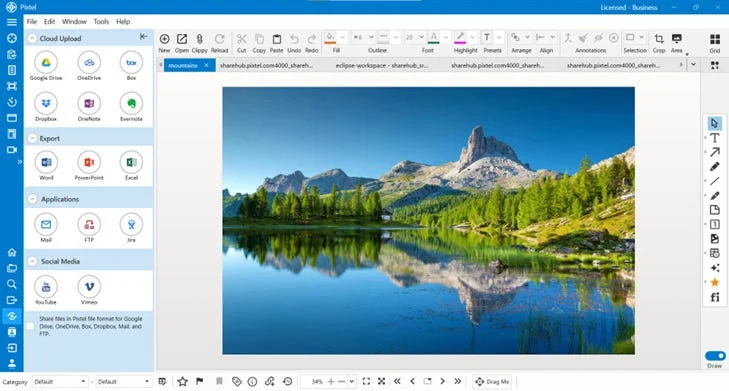
Streamline your workflow by sharing screenshots and images directly from Pixtel to Evernote. Learn how to connect accounts, manage notebooks, and bulk upload.

Transform your screenshots and graphics with professional filters. Learn how to use Pixtel's automated Solarize, Tile, Mosaic, and Motion Blur effects.
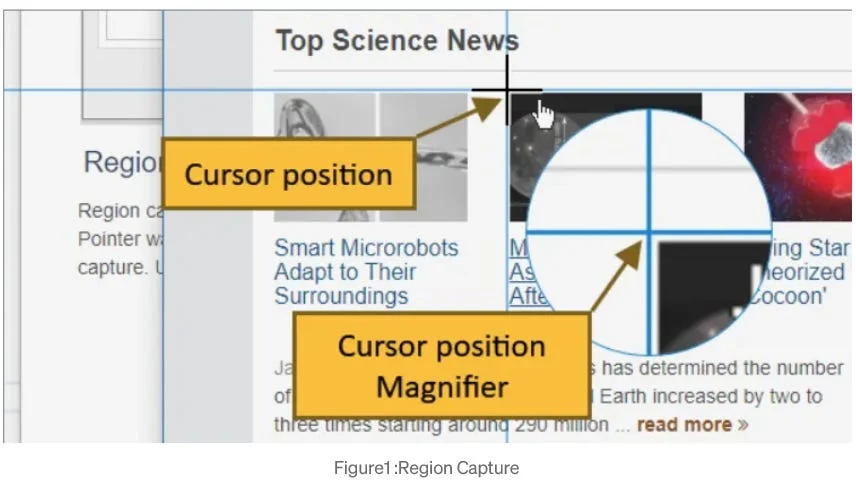
Master pixel-perfect screen snipping with Pixtel's Region Capture. Learn how to use shortcuts, customize preferences, and trace original URLs easily.
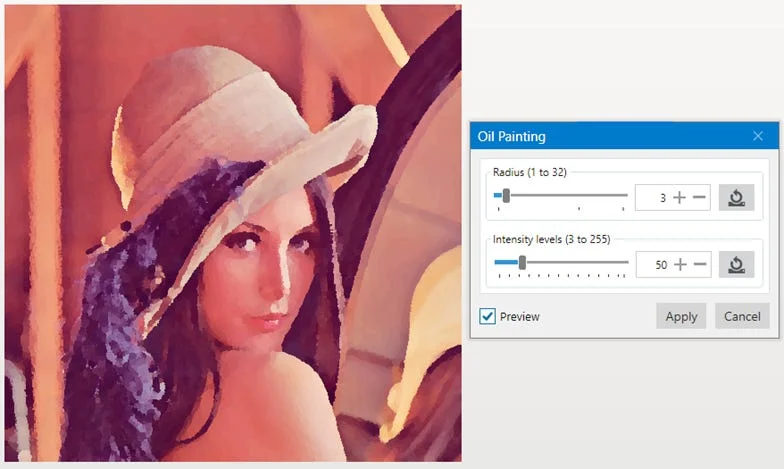
Transform your screenshots and graphics with professional filters. Learn how to use Pixtel's automated Solarize, Tile, Mosaic, and Motion Blur effects.
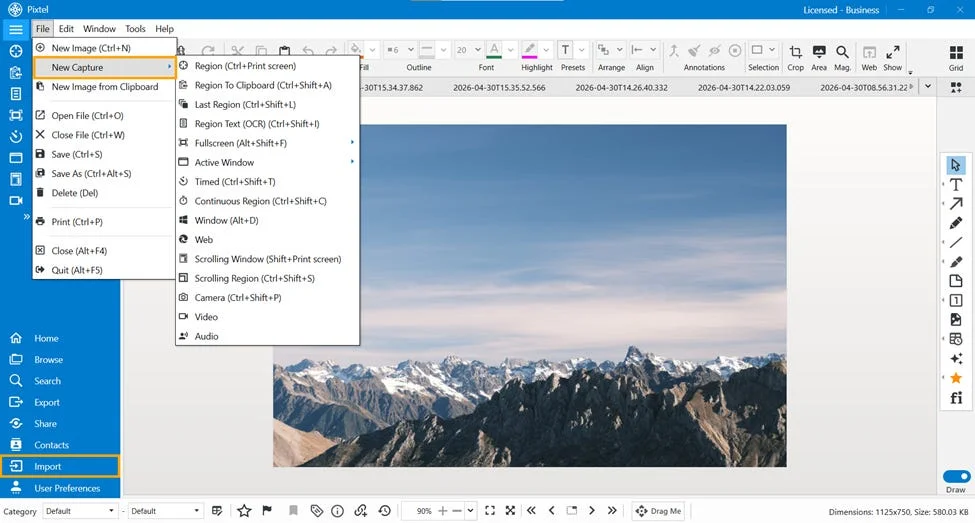
Give your screenshots and graphics a professional edge. Learn how to use Pixtel's built-in Dilate, Erode, Emboss, and Noise filters in just a few clicks.
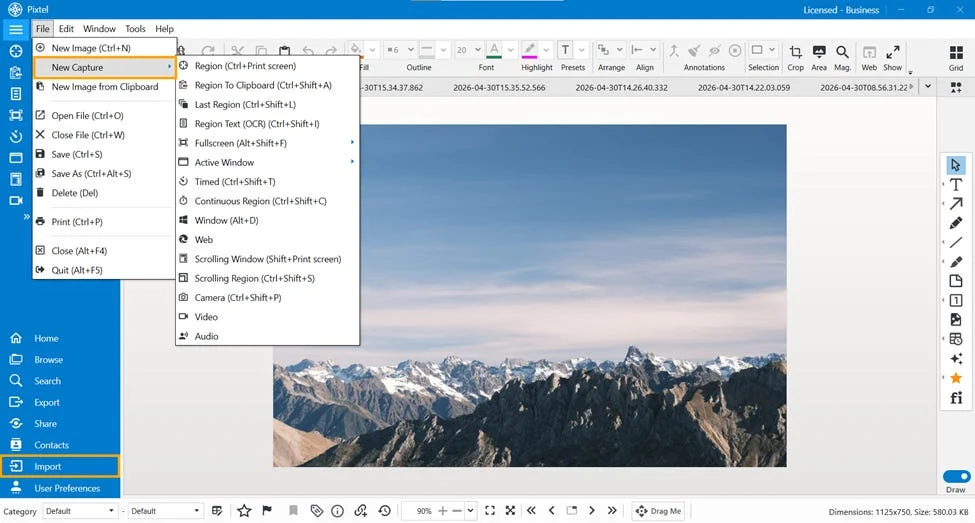
Discover how to instantly enhance your screenshots using Pixtel's built-in filters. Learn to use Blur, Sharpen, Detect Edges, and advanced Canny Edge detection.
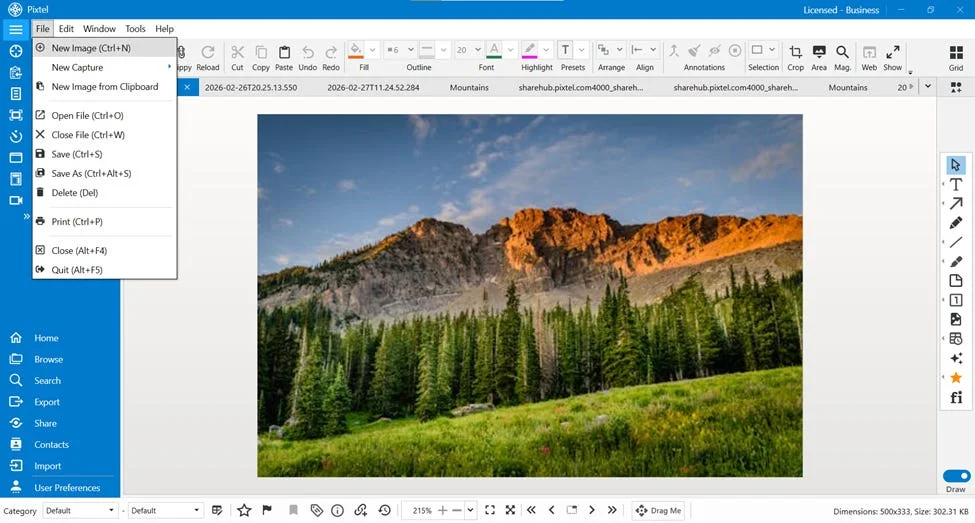
Unlock a blank design canvas in Pixtel. Learn how to open a new image workspace, customize dimensions, choose background colors, and set default sizes.
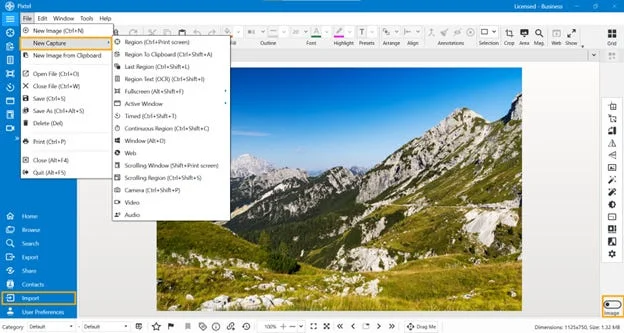
Fix incorrectly oriented screenshots instantly. Learn how to rotate and flip images horizontally or vertically in Pixtel with no loss in quality.
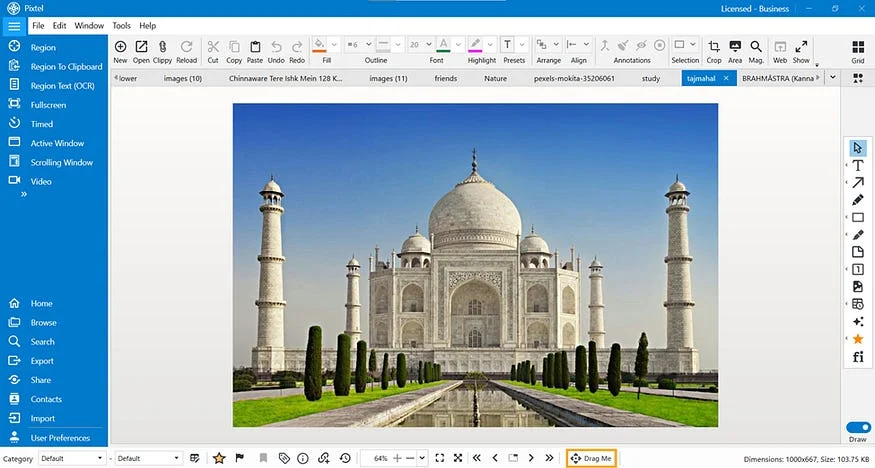
Stop wasting time saving files just to share them. Learn how to use Pixtel's Drag Me option to seamlessly drag and drop single or multiple media files instantly.
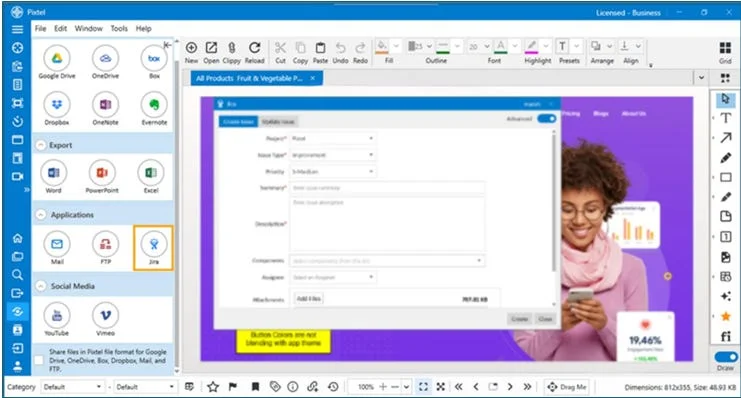
Streamline your Jira workflow with Pixtel. Capture, annotate, and attach screenshots to Jira issues effortlessly. Save time and enhance team productivity.
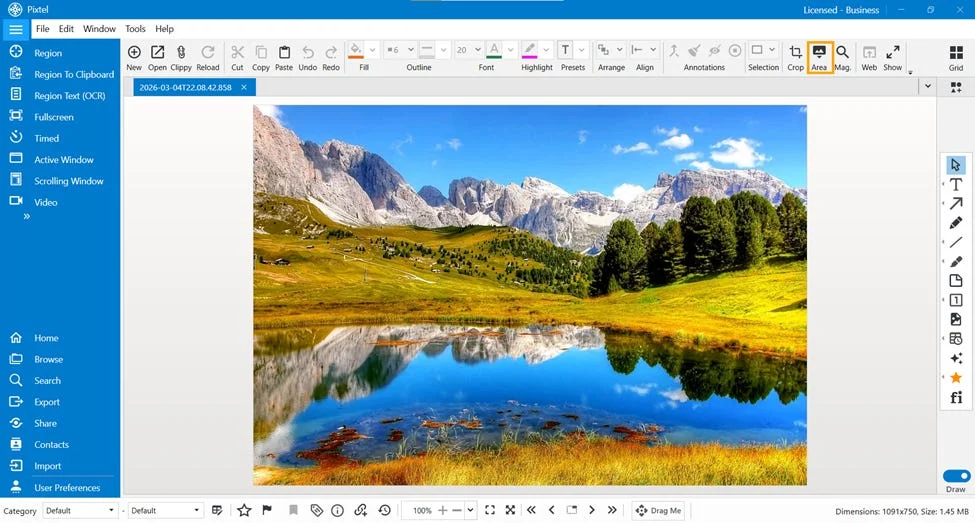
Learn how to seamlessly manipulate specific parts of your screenshots. Discover Pixtel's built-in area tools for cropping, color filling, and OCR text extraction.
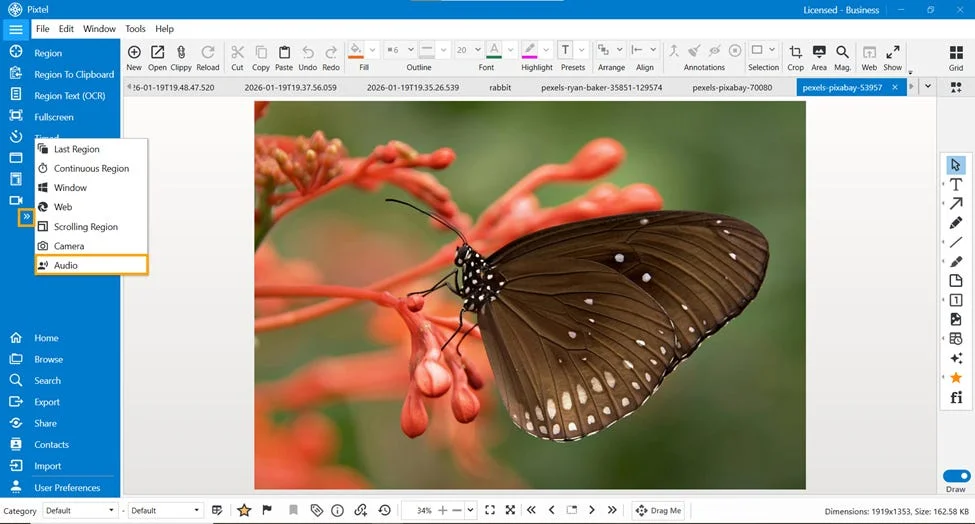
Master your audio workflows with Pixtel. Learn how to record crisp microphone voice overs, capture system audio, and configure smart audio modes.
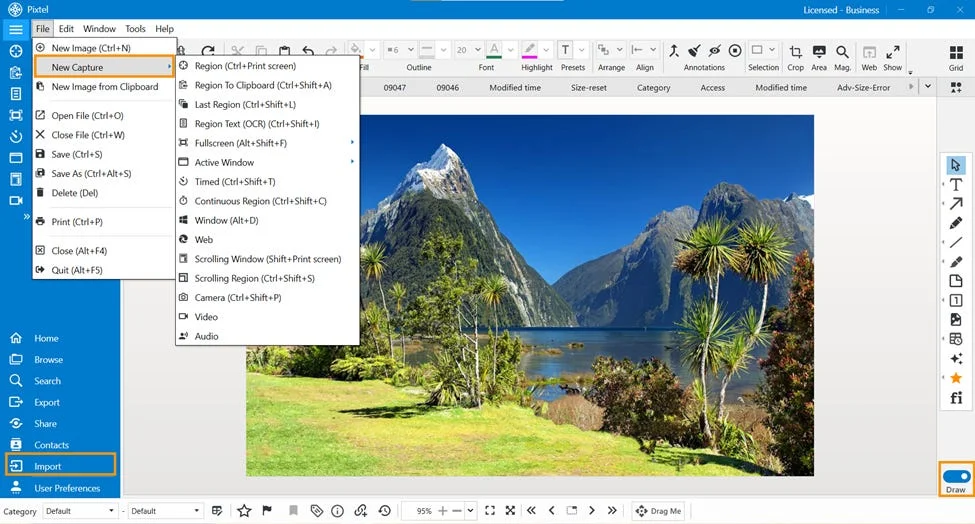
Master your screenshot editing workflow. Learn how to instantly add, temporarily hide, or completely remove all annotations in Pixtel with simple shortcuts.
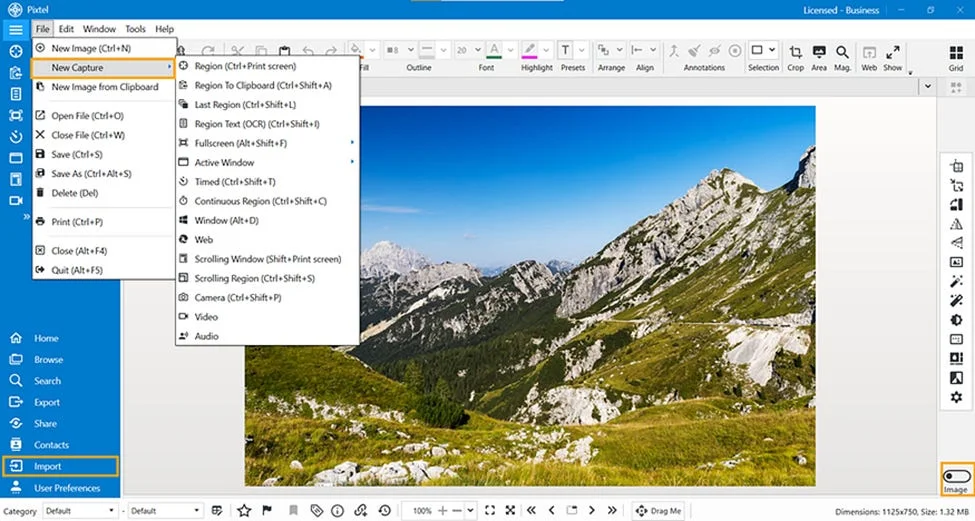
Enhance your screenshots with professional annotations. Learn how to use Pixtel's 14 different callout types, including rich textboxes, pointer arrows, and custom shapes.
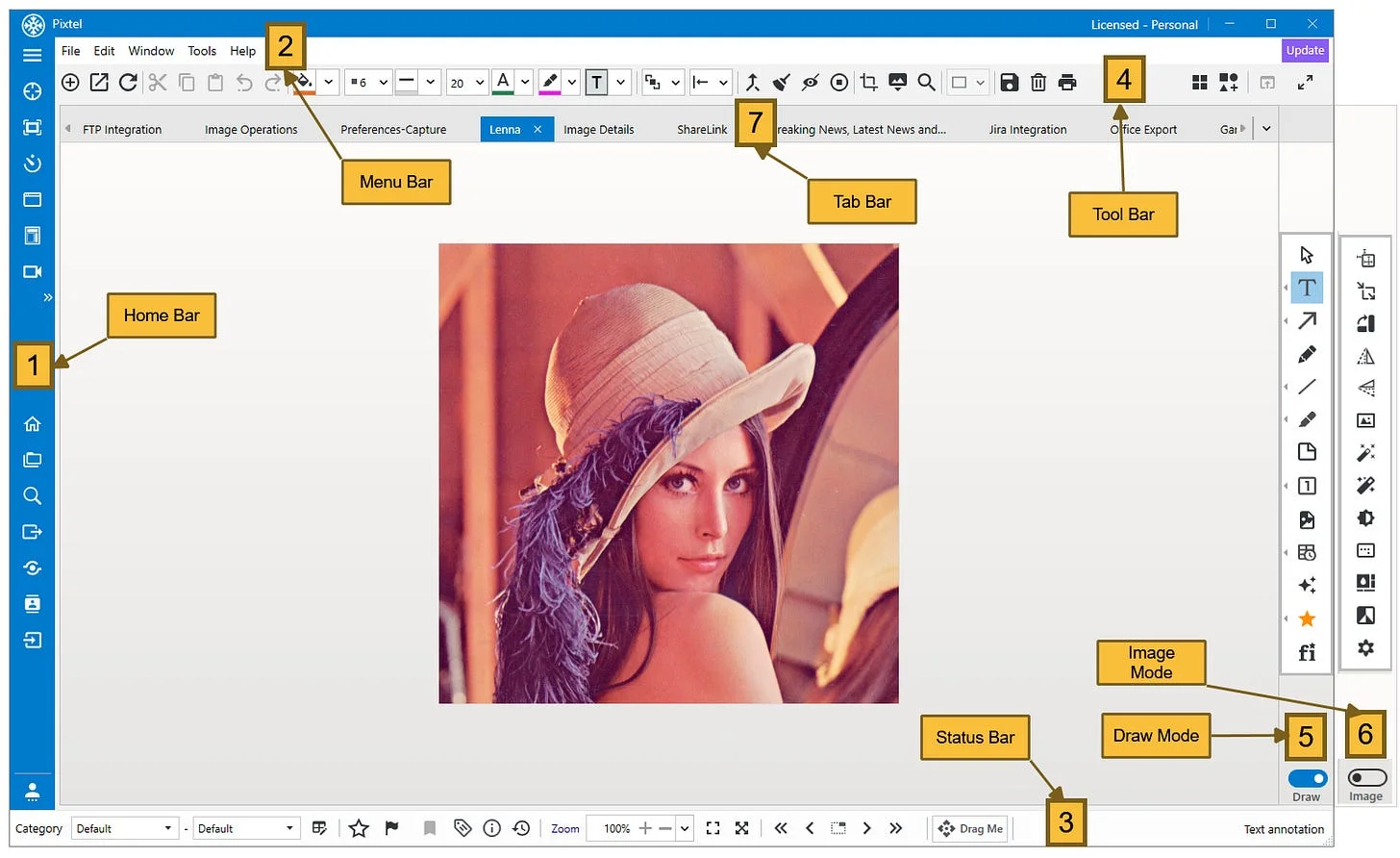
Supercharge your digital workflow with Pixtel. Learn how to capture scrolling screens, annotate with built-in tools, and share instantly to Jira.
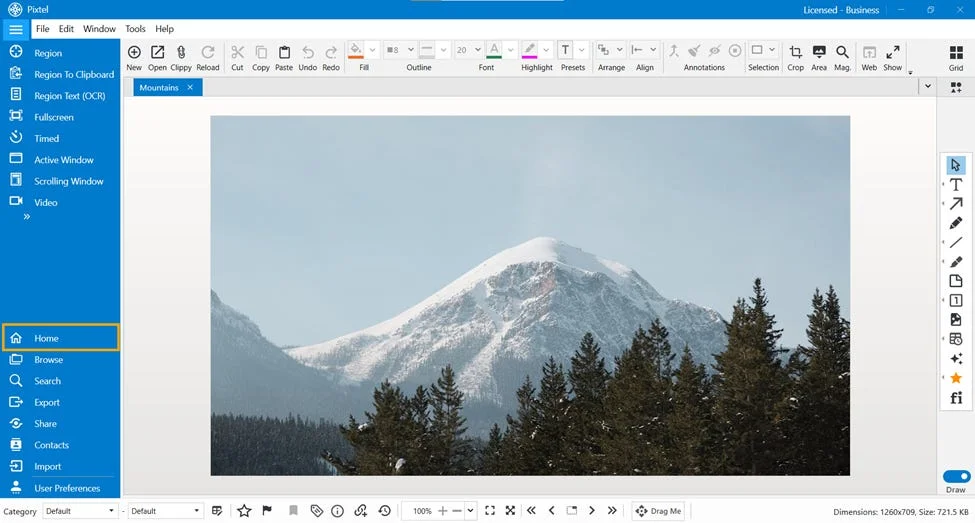
Streamline your screenshot workflow with the Pixtel Home option. Monitor storage, track file counts, and access guides from a centralized dashboard.
Turn simple screenshots into clear, step-by-step guides. Learn how to use Pixtel's counter-based numbering tools to rank and highlight workflows sequentially.
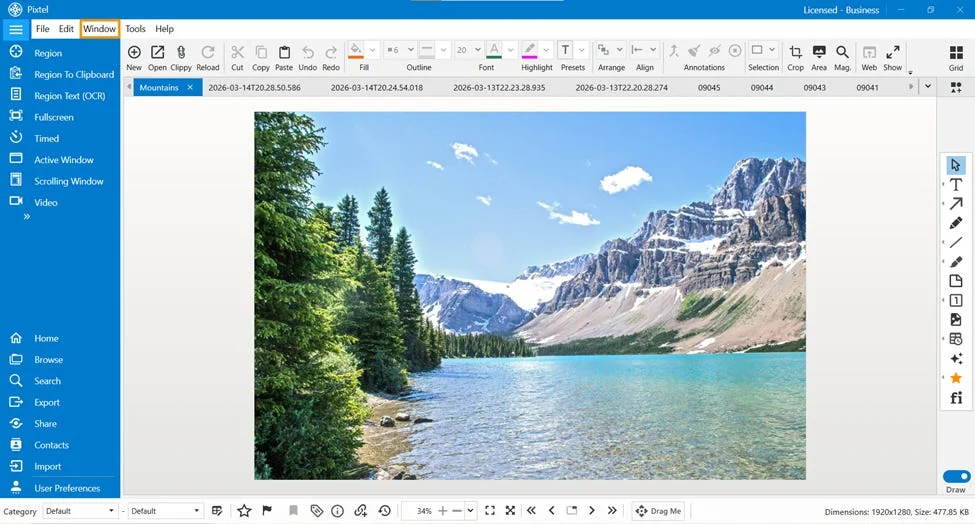
Eliminate repetitive clicks. Learn how to use Pixtel's Menu Bar window shortcuts to quickly browse, search, import, and manage your assets instantly.
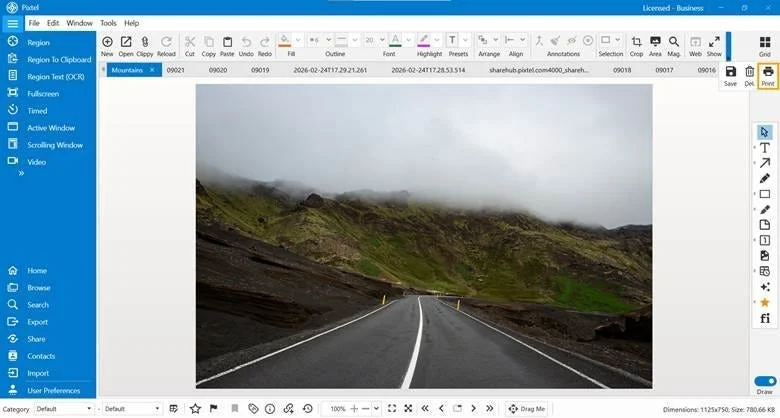
Need physical copies of your captures? Learn how to print single or multiple screenshots in Pixtel with full layout, margin, and header control.
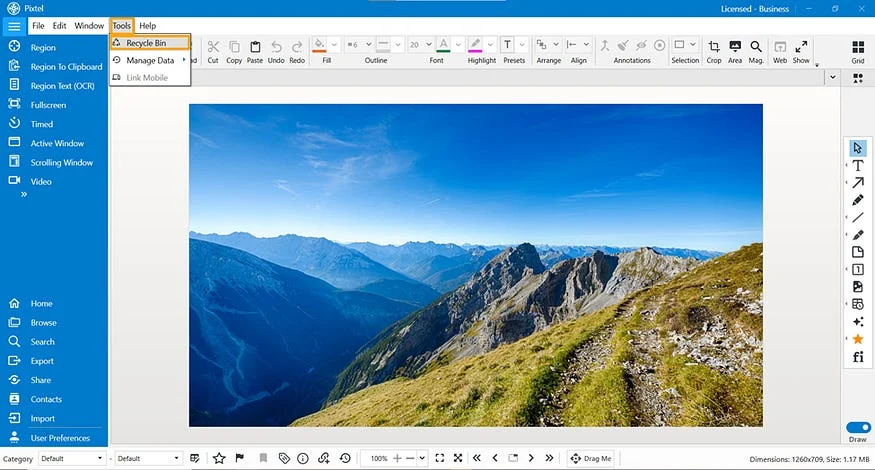
Accidentally deleted a screenshot or screen recording? Learn how to instantly recover or permanently remove files using the Pixtel Recycle tool.
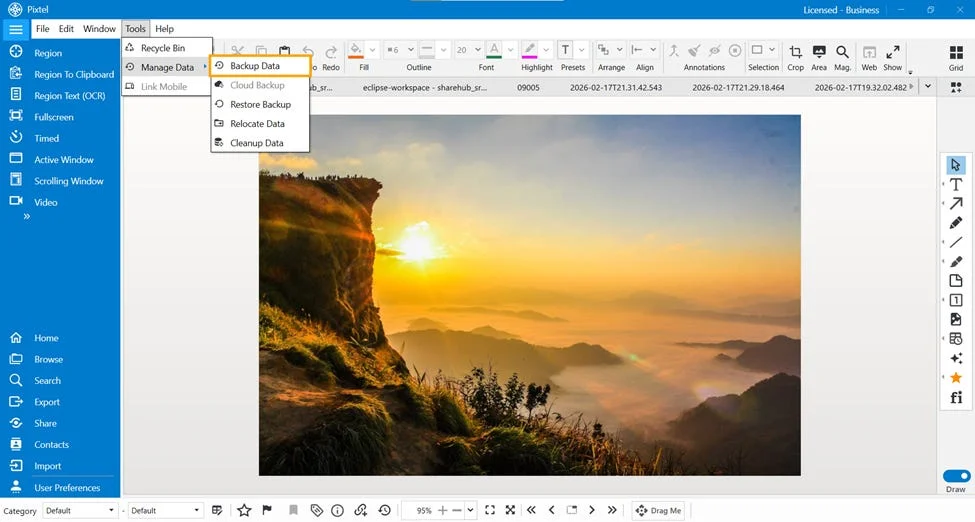
Protect your valuable media files with zero hassle. Learn how to configure local destination paths and securely back up your data in just a few clicks.
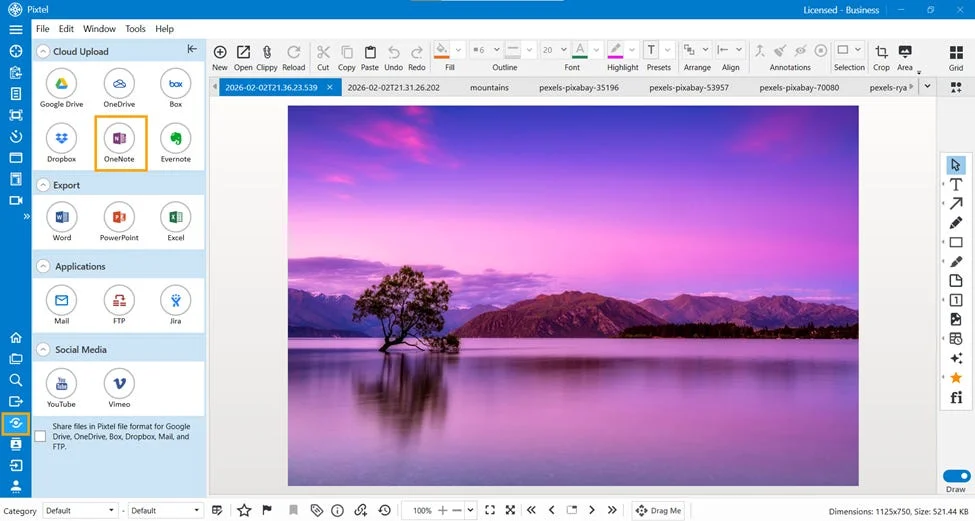
Streamline your documentation workflow. Learn how to instantly connect, organize, and upload single or multiple annotated screenshots directly into Microsoft OneNote.
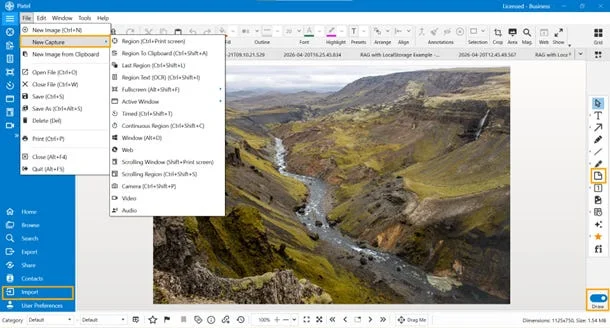
Annotate your screenshots with context. Learn how to add, place, and customize flexible sticky notes directly onto your images using Pixtel.
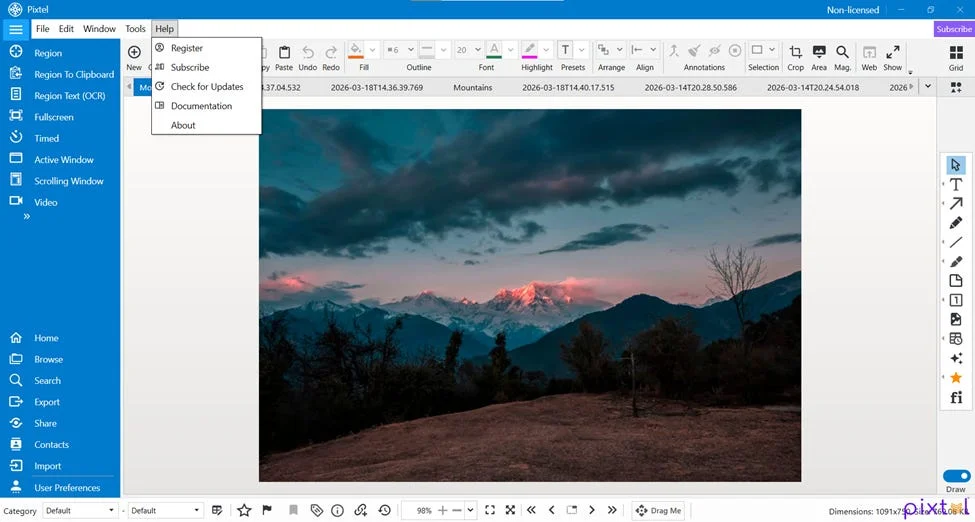
Discover how to manage your account, unlock premium features, and get support using the centralized Pixtel Help menu dashboard.
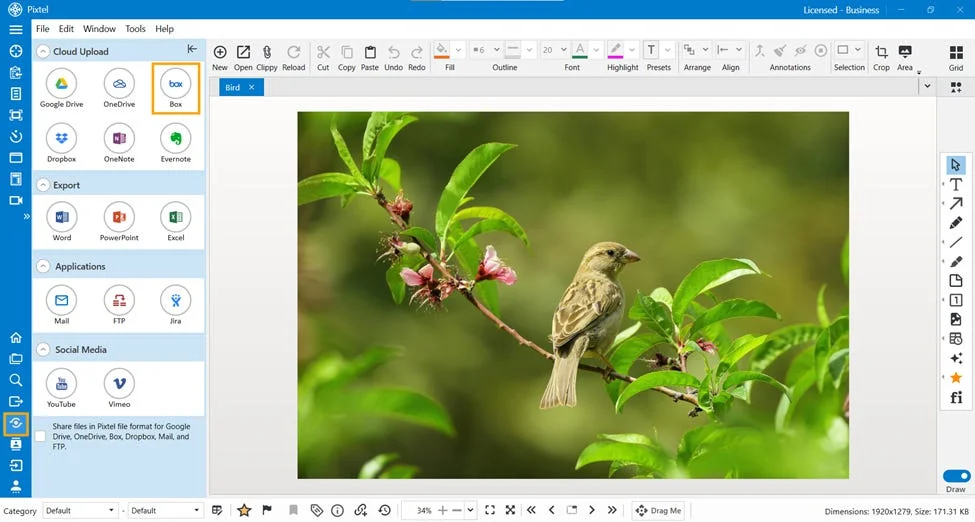
Streamline your cloud workflow. Learn how to securely authenticate your Box accounts, choose destination folders, and upload screenshots instantly from Pixtel.
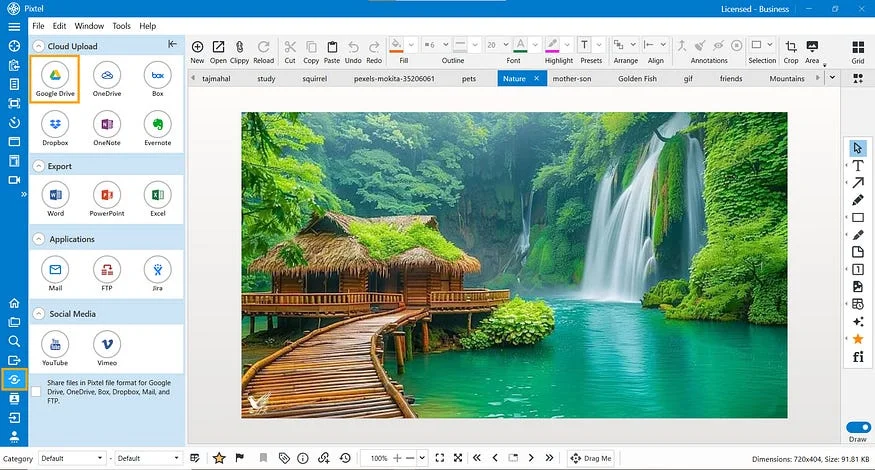
Save time by bypassing your browser. Learn how to securely link your Google account and upload single or bulk screenshots directly to Google Drive paths.
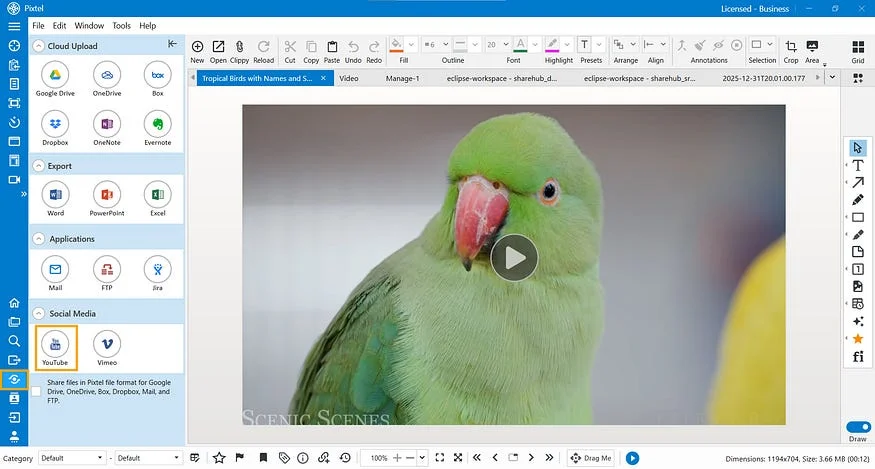
Publish your screen recordings directly to YouTube without opening a browser. Learn how to securely link accounts, add titles, and upload single or bulk videos.
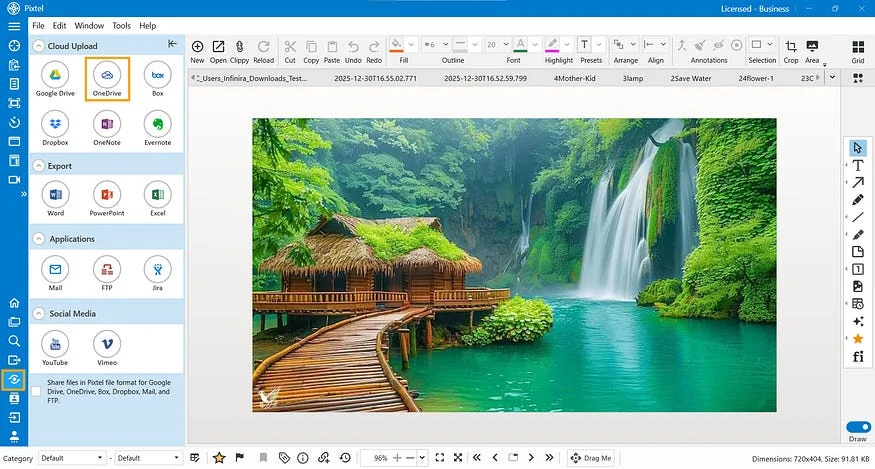
Save time and skip the browser. Learn how to securely link your Microsoft account and upload individual or bulk screenshots directly to OneDrive paths.
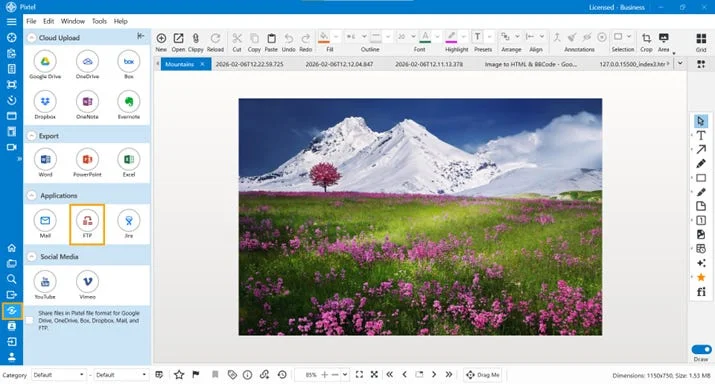
Skip external FTP clients. Learn how to securely configure multiple FTP accounts, select remote folders, and upload screenshots instantly from Pixtel.
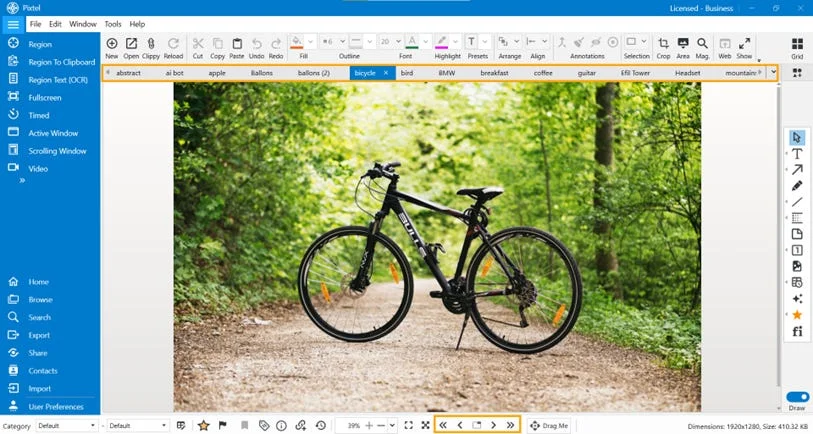
Stop juggling multiple application windows. Learn how Pixtel’s built-in tab system automatically organizes, renames, and manages your active screenshots.
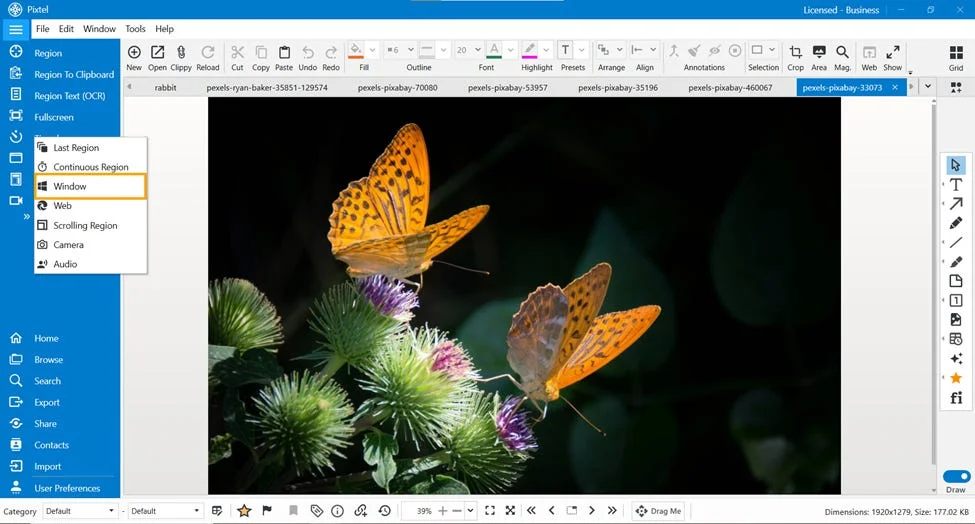
Eliminate background clutter and taskbars. Learn how to use Pixtel's Window Capture tool and custom shortcuts to isolate individual active app windows instantly.
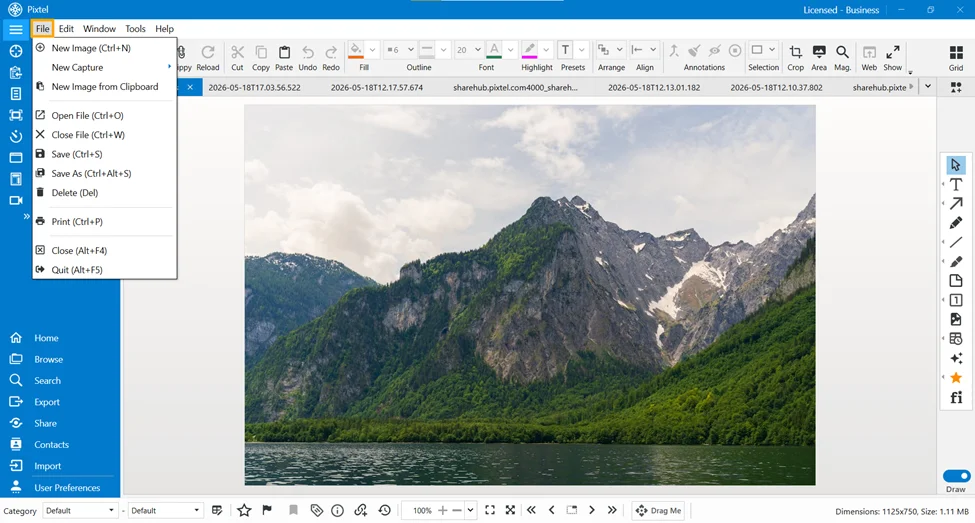
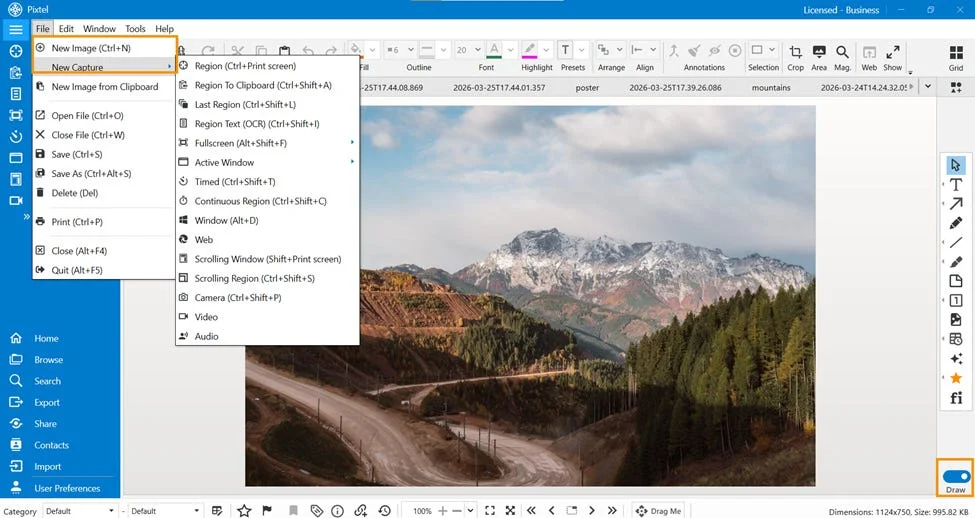
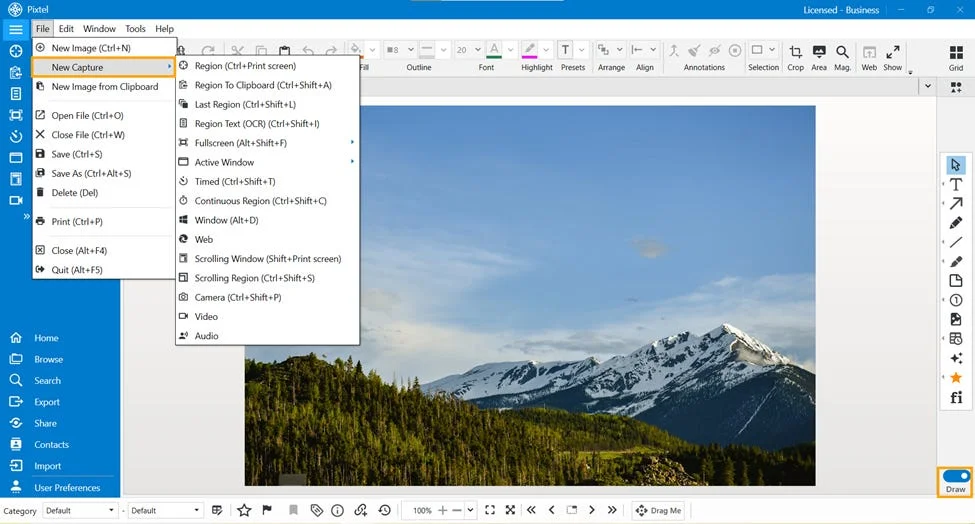
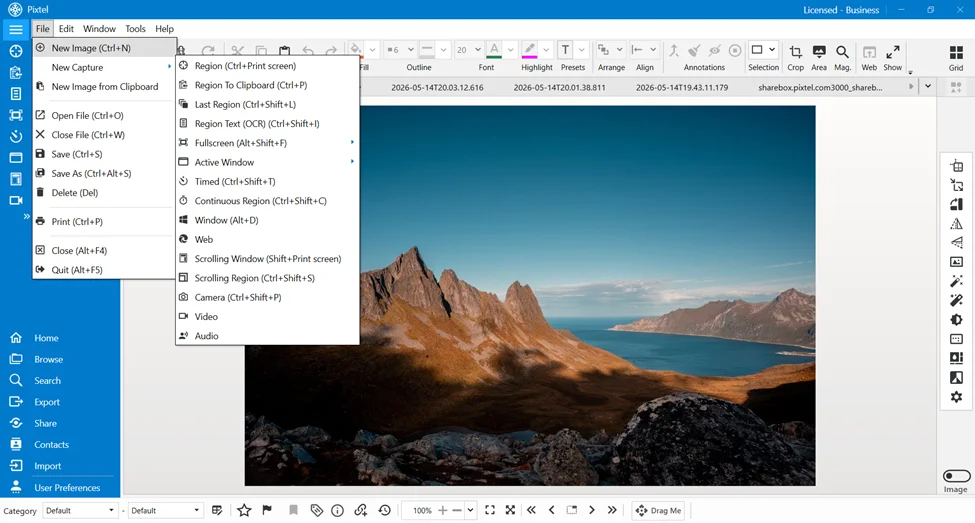
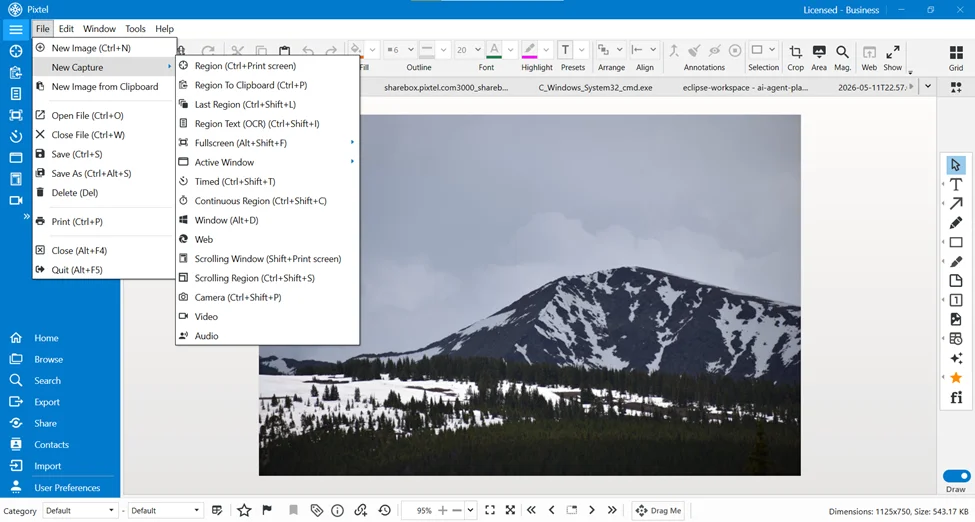
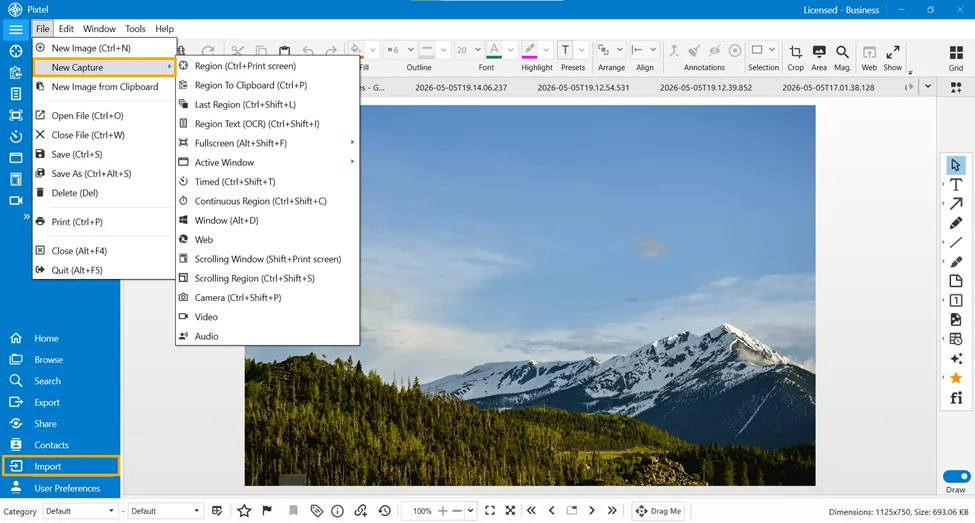
Explore every option in Pixtel's File menu — New Image, capture shortcuts, Open, Save, Save As, Delete, Print, Close, and Quit — with keyboard shortcuts.
Learn how Pixtel's Resize Canvas feature lets you add workspace around an image with Auto Expand, positioning, and canvas color options.
Learn how to use Pixtel's Image Resize feature to adjust width, height, units, and resolution while preserving image quality and aspect ratio.
Learn how Pixtel's Change Format and Resample Image features let you convert pixel formats and adjust resolution for optimized, high-quality images.
'%3e%3cpath%20d='M6.49988%200.862305L0.380969%206.98121C-0.127315%207.4895%20-0.127315%208.31107%200.380969%208.81936C0.889253%209.32764%201.71083%209.32764%202.21911%208.81936L5.19992%205.83855V15.7C5.19992%2016.4176%205.781%2017%206.49988%2017C7.21875%2017%207.79984%2016.4176%207.79984%2015.7V5.83855L10.7806%208.81936C11.0341%209.07285%2011.3669%209.20024%2011.6997%209.20024C12.0325%209.20024%2012.3653%209.07285%2012.6188%208.81936C13.1271%208.31107%2013.1271%207.4895%2012.6188%206.98121L6.49988%200.862305Z'%20fill='white'/%3e%3c/g%3e%3cdefs%3e%3cclipPath%20id='clip0_1_2'%3e%3crect%20width='13.0002'%20height='16.8995'%20fill='white'%20transform='translate(-0.000244141%200.100533)'/%3e%3c/clipPath%3e%3c/defs%3e%3c/svg%3e)