

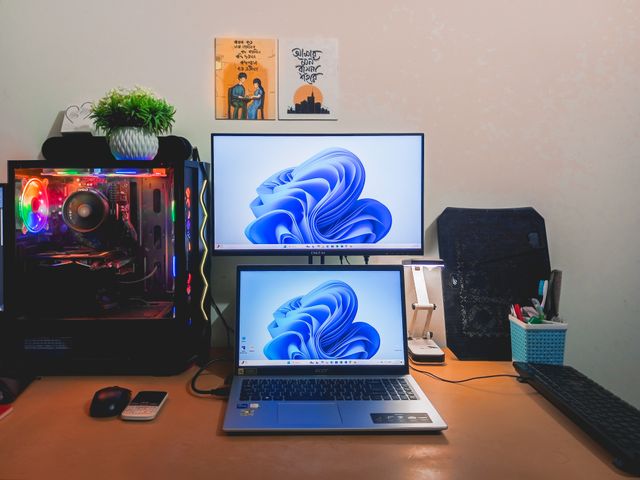
The definitive guide to the best screenshot and screen capture tools for Windows 11 in 2026 — from the built-in Snipping Tool to professional platforms like Pixtel, compared by features, pricing, and workflow fit.

Developers communicate visually all day — bug reports, code reviews, error logs, runbooks, and async team updates. Here's how Pixtel makes each one faster and clearer.

How QA engineers use Pixtel's capture modes, annotation toolkit, OCR, Jira integration, and media library to produce reproducible bug reports, build regression evidence, and close the loop faster across sprints.
Unmanaged screenshot workflows quietly drain team productivity through fragmentation, version confusion, missing context, and unnecessary meetings. Here's how to quantify the real cost — and what to do about it.

Learn how to turn your daily screen captures into a searchable, organised visual knowledge base — using Pixtel's media library, tagging system, source URL preservation, and cloud integrations to make every screenshot findable and reusable.

See how customer support teams use Pixtel's annotation tools, OCR, Jira integration, and multi-account cloud sharing to resolve tickets faster and communicate more clearly with customers and developers.

How legal teams, compliance officers, and regulated-industry professionals use Pixtel's timestamped captures, source URL preservation, metadata retention, and secure cloud export to build defensible visual records.

Pixtel lets you connect multiple accounts across Google Drive, OneDrive, Dropbox, Box, and more — all from one workspace. Here's why that's a bigger deal than it sounds.

See how product managers use Pixtel's capture, annotation, Jira integration, and cloud sharing to run tighter sprint reviews, sharper stakeholder updates, and cleaner design feedback cycles.
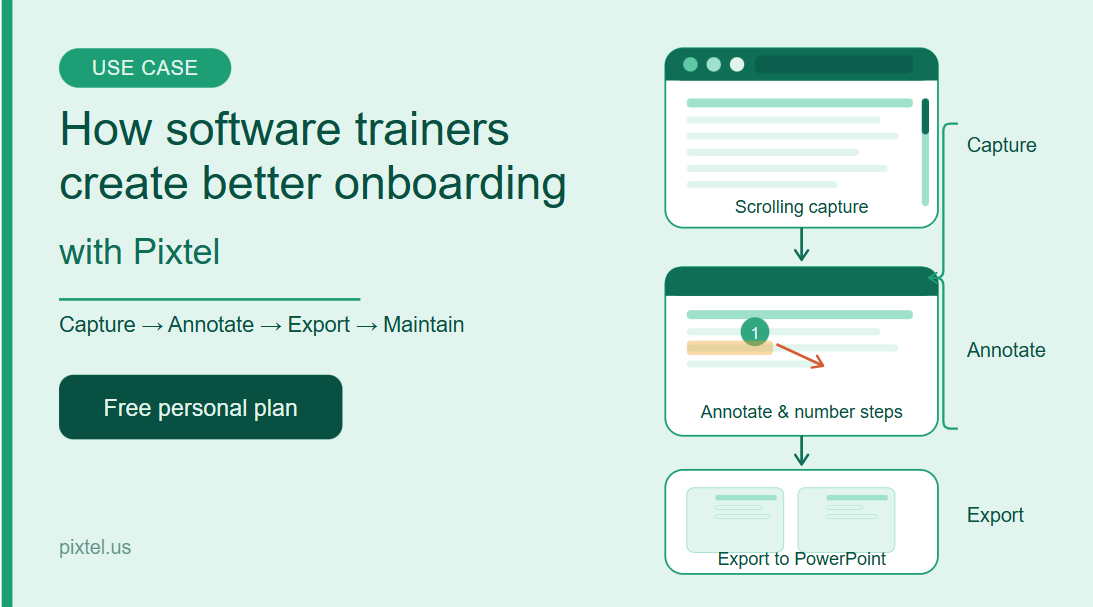
Discover how software trainers use Pixtel's scrolling capture, annotation tools, PowerPoint export, and media library to build polished onboarding materials faster than ever.
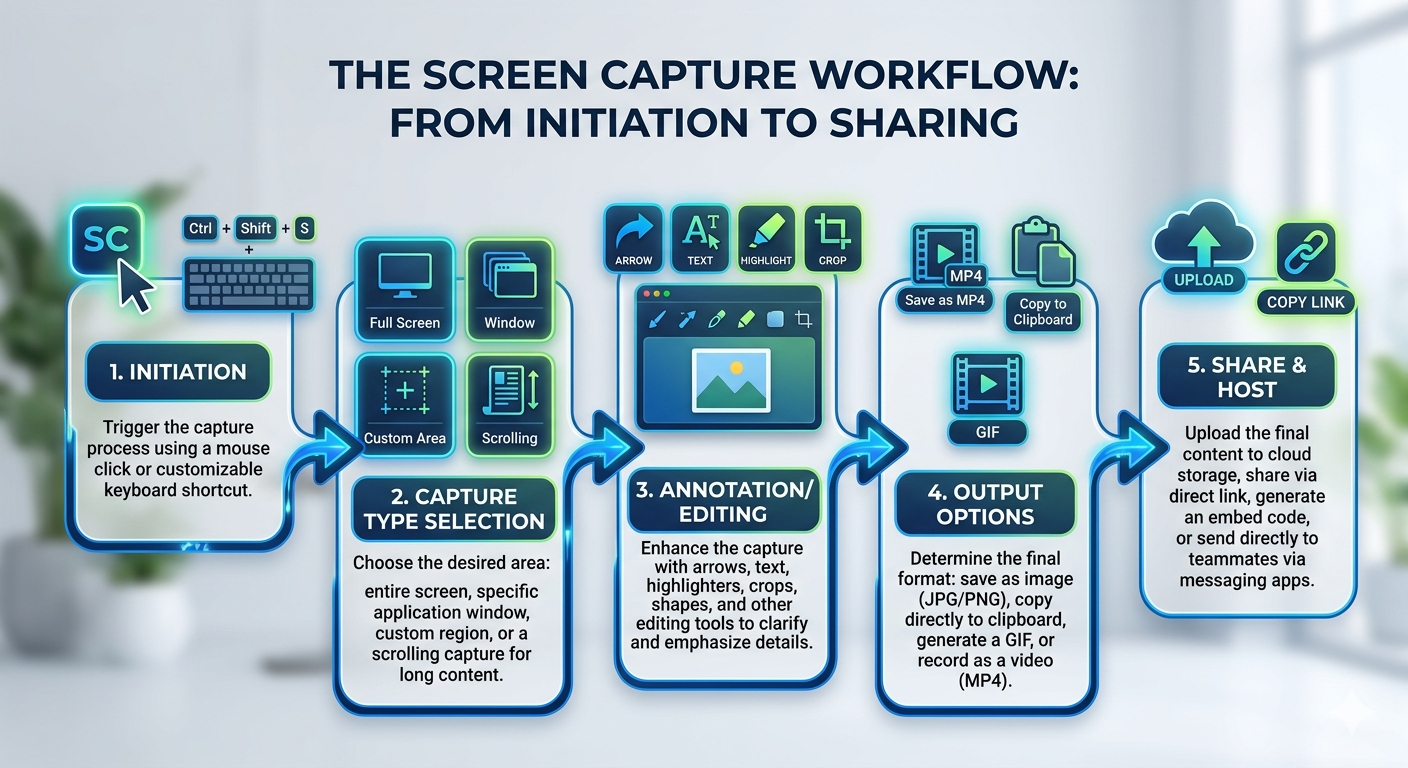
Looking for the best screenshot software in 2026? Compare the top 10 screen capture tools — features, pricing, and who each one is best for — with Pixtel leading the list for Windows professionals.
A complete guide to screen capture tools — what they are, how they work, the different types available, and why professionals need more than Windows Snipping Tool for their daily workflows.

Pixtel vs Camtasia: a detailed 2026 comparison of features, pricing, recording performance, and workflow fit. Find out which tool works best for Windows professionals.
Pixtel vs OBS Studio: a detailed 2026 comparison of features, usability, screenshot workflow, and professional fit. Find out which Windows screen capture tool works best for your daily work.
Pixtel vs Loom: a detailed 2026 comparison of screen recording performance, features, pricing, and workflow fit. Find out which tool works best for Windows professionals.

Pixtel vs Lightshot: a detailed 2026 comparison of features, privacy, integrations, and workflow fit. Find out which Windows screenshot tool is the right upgrade for you.
Pixtel vs Greenshot: a detailed 2026 comparison of features, capture modes, integrations, and value. Find out which Windows screenshot tool is right for your workflow.

Pixtel vs PicPick: a detailed 2026 comparison of features, pricing, workflow fit, and integrations. Find out which Windows screenshot tool is the better all-in-one solution for professionals.

Pixtel vs Snagit: an in-depth 2026 comparison of features, pricing, capture modes, integrations, and who each tool is best for. Find out which screen capture tool wins for your workflow.

Pixtel vs ShareX: a detailed 2026 comparison of features, usability, integrations, and workflow fit. Find out which Windows screen capture tool works best for professionals.
Pixtel vs Zight: a detailed 2026 comparison of features, pricing, workflow fit, and integrations. Find out which tool wins for Windows professionals — local power or cloud-first sharing.

An enterprise-grade analysis of micro-friction, tool fragmentation, and cognitive context-switching. Learn how Pixtel’s integrated desktop engine drives systemic efficiency gains.

Streamline your QA and development workflow. Learn how to connect Pixtel to Jira and instantly upload annotated screenshots directly to your team's active issues.

Discover how Pixtel's infinite Virtual Canvas redefines screen capture editing. Go beyond static images with multi-image layers, 20,000+ icons, and advanced design tools.

Tired of boring bullet points? Learn how Pixtel’s built-in presentation builder, virtual canvas, and slideshow mode transform raw screen captures into compelling presentations.

Learn how to capture full scrollable windows, entire web pages, and custom scrolling regions seamlessly in one high-quality image using Pixtel.

Pixtel vs Windows Snipping Tool: see how scrolling capture, vector annotations, Jira integration, and multi-tab workspaces compare. Free personal plan available.

Discover how to take professional, high-quality screenshots, apply advanced multi-layer annotations, and manage your media library seamlessly with Pixtel.

Discover how fractional delays stall project workflows and learn how Pixtel’s unified workspace generates measurable productivity improvements.

Discover why vector shapes and graphics outperform traditional raster images in screen management tools, and how Pixtel utilizes vectors for flawless scaling and markup.

Discover how to accelerate your website mockup, UI review, and QA staging workflows using Pixtel's native multi-tab canvas and advanced capture engine.

Stop re-typing text from screenshots. Learn how Pixtel’s Advanced OCR and Table Data Extraction instantly convert images into editable text and organized spreadsheets.

Stop wasting time with basic snipping tools. Learn how an advanced screen management ecosystem with OCR and cloud sharing fixes broken team workflows.

Discover the true power of Pixtel. Learn how combining advanced screen capture, multi-layer editing, cloud sharing, and seamless workflows can supercharge your productivity.

Static screenshots are dead ends. Learn how Pixtel converts simple screen captures into actionable tasks, collaborative mockups, and seamless JIRA tickets.
'%3e%3cpath%20d='M6.49988%200.862305L0.380969%206.98121C-0.127315%207.4895%20-0.127315%208.31107%200.380969%208.81936C0.889253%209.32764%201.71083%209.32764%202.21911%208.81936L5.19992%205.83855V15.7C5.19992%2016.4176%205.781%2017%206.49988%2017C7.21875%2017%207.79984%2016.4176%207.79984%2015.7V5.83855L10.7806%208.81936C11.0341%209.07285%2011.3669%209.20024%2011.6997%209.20024C12.0325%209.20024%2012.3653%209.07285%2012.6188%208.81936C13.1271%208.31107%2013.1271%207.4895%2012.6188%206.98121L6.49988%200.862305Z'%20fill='white'/%3e%3c/g%3e%3cdefs%3e%3cclipPath%20id='clip0_1_2'%3e%3crect%20width='13.0002'%20height='16.8995'%20fill='white'%20transform='translate(-0.000244141%200.100533)'/%3e%3c/clipPath%3e%3c/defs%3e%3c/svg%3e)