

A Simple Way to Share Videos to Vimeo from One Platform
Publishing videos to Vimeo doesn’t need extra steps or switching between platforms. With Pixtel, you can record, manage, and upload videos to Vimeo directly using the Social Media upload option. From capturing to publishing, everything happens in one smooth flow.
How to Upload a Single Video to Vimeo
Follow these simple steps to upload a video directly to Vimeo:
1. Record or Import Your Video
- Record a video using Pixtel video capture, or
- Import an existing video from your computer.
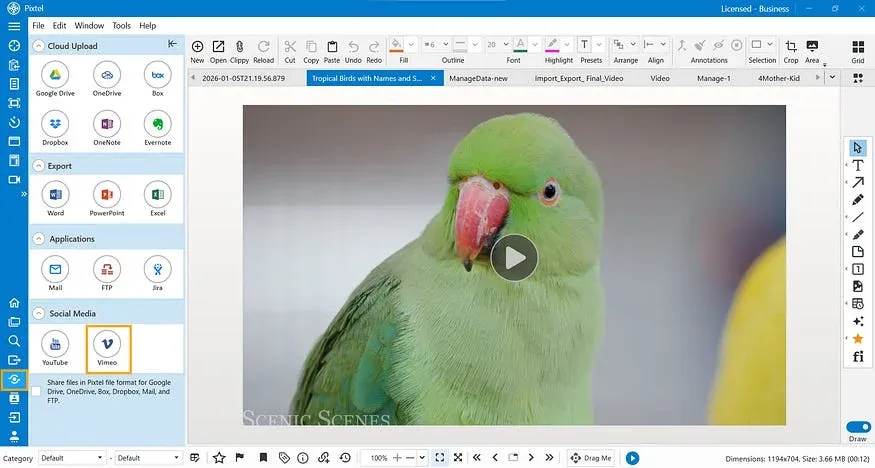
2. Click Share
- Select the video and click Share.
- From Social Media sharing options, choose Vimeo.
- The current (active tab) is automatically treated as a video file and is ready for upload.
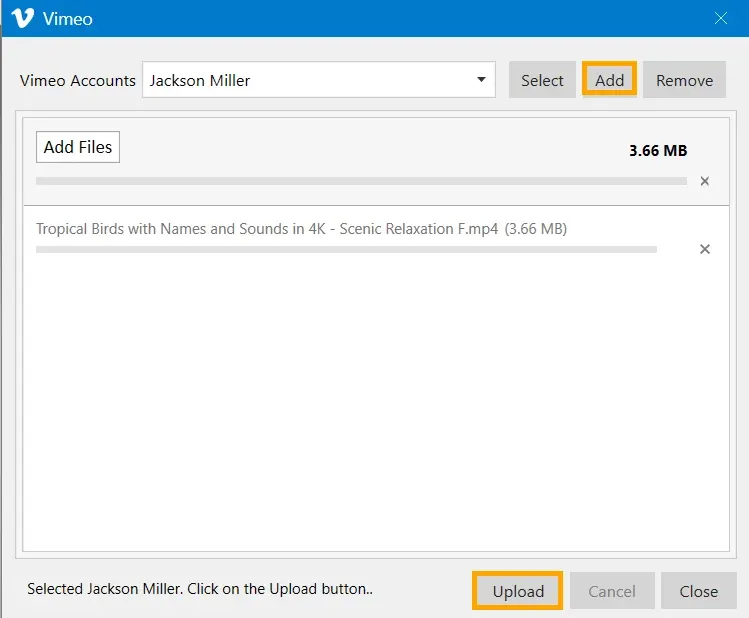
3. Connect Your Vimeo Account
You can connect your Vimeo account in multiple ways:
- Join Vimeo by entering your name, email, and password, or Join with Google
- Log in using your email & password, or Log in with Google
Once authenticated, Pixtel securely links your Vimeo account.
4. Upload the Video
- Click Upload to publish the video directly to your Vimeo account from Pixtel.
How to Upload Multiple Videos at Once to Vimeo
Uploading several videos together is just as easy:
1. Switch to Grid View
- Open Grid View to see all your captured and imported videos in one place.
2. Select Multiple Videos
- Choose all the videos you want to upload.
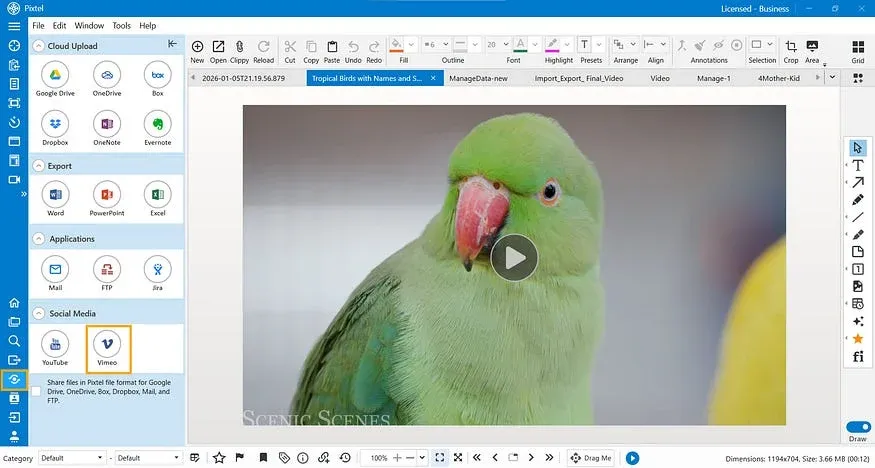
3. Share to Vimeo
- Click Share → Vimeo.
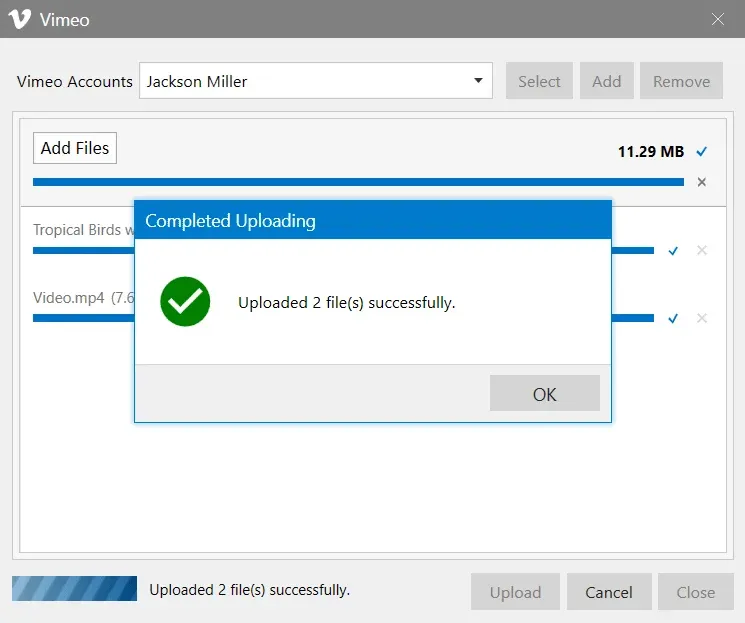
- Select your linked Vimeo account and click Upload.
All selected videos will be uploaded in one go — no repeated actions, no app switching.
Pixtel makes uploading videos to Vimeo simple and efficient. You can record or import videos, connect your Vimeo account easily, and upload single or multiple videos — all from one platform. No switching apps, no extra downloads — just a smooth, time-saving workflow.
Related reading:
- Upload Videos to YouTube Directly from Pixtel →
- How to Record Your Screen Effortlessly with Pixtel →
- How to Share Captures Effortlessly with Pixtel →
Capture once and use it forever. It isn’t just a tool — it’s Pixtel.
👉 Download Pixtel · 🎥 Follow us on YouTube · 📘 Read Detailed Documentation
'%3e%3cpath%20d='M6.49988%200.862305L0.380969%206.98121C-0.127315%207.4895%20-0.127315%208.31107%200.380969%208.81936C0.889253%209.32764%201.71083%209.32764%202.21911%208.81936L5.19992%205.83855V15.7C5.19992%2016.4176%205.781%2017%206.49988%2017C7.21875%2017%207.79984%2016.4176%207.79984%2015.7V5.83855L10.7806%208.81936C11.0341%209.07285%2011.3669%209.20024%2011.6997%209.20024C12.0325%209.20024%2012.3653%209.07285%2012.6188%208.81936C13.1271%208.31107%2013.1271%207.4895%2012.6188%206.98121L6.49988%200.862305Z'%20fill='white'/%3e%3c/g%3e%3cdefs%3e%3cclipPath%20id='clip0_1_2'%3e%3crect%20width='13.0002'%20height='16.8995'%20fill='white'%20transform='translate(-0.000244141%200.100533)'/%3e%3c/clipPath%3e%3c/defs%3e%3c/svg%3e)