

Unlocking Trapped Data: The Power of Advanced OCR in Screen Management
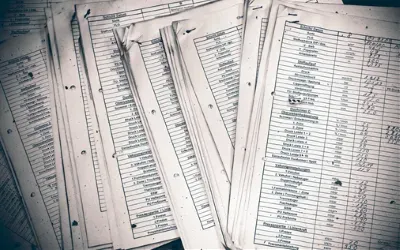
Some of the most useful information on your screen is completely inaccessible to your clipboard.
Error logs in a terminal window. A competitor's pricing table on a protected webpage. Data inside a video frame. A legacy PDF with no copyable text layer. You can see it — but you can't select it, search it, or paste it anywhere.
Historically, the workarounds have been slow: manually retype the data character by character, or run the image through an online converter that scrambles your formatting. Both options introduce time waste and transcription errors.
Pixtel embeds high-tier Advanced OCR directly into the screen capturing flow. Instead of treating screenshots as flat pixel files, Pixtel treats them as intelligent data layers. With a quick selection, you can extract text, pull structured tables, and bridge the gap between static visuals and editable documents — without leaving the capture workspace.
The Problem: What "Data Trapping" Costs Your Team
When information is embedded inside an image or video pixel layer, it's effectively invisible to your computer:
- You can't highlight, search, or copy text hidden inside screenshots.
- Analysts, engineers, and product managers forced to manually transcribe logs, invoices, or metrics from screen captures lose focus and productivity.
- Generic OCR tools frequently strip formatting — columns collapse, line breaks disappear, and you spend time cleaning up a wall of unsorted text.
Pixtel's OCR Capabilities
Text Extraction — Image to Clipboard
Drag a selection box over any portion of your screen — a protected document, a frozen application, a video frame — and Pixtel's OCR extracts the underlying text with precision. The extracted content goes straight to your system clipboard. Paste it into a code editor, a Jira ticket description, or a Slack message without saving a single file.
Table Data OCR — From Pixels to Spreadsheets
Extracting plain text is one thing. Extracting a financial matrix, an inventory grid, or a database schema report without losing structure is another matter.
Pixtel's Table Data OCR maps the visual boundaries of rows and columns intelligently, then outputs clean CSV. Paste the result directly into Microsoft Excel, Google Sheets, or Apple Numbers — columns populate with correct alignment, no cleanup required.
Use Cases by Role
| Role | Typical OCR use case | Outcome |
|---|---|---|
| Developer / QA | Extract stack traces and error codes from crash panels or browser dev tools | Paste directly into search engines or debugging tools — no manual retyping |
| Finance Analyst | Pull invoice tables or reconciliation data from protected PDFs or legacy apps | CSV output ready for Excel without transcription risk |
| Product Manager | Extract competitor pricing tiers or feature matrices from protected web pages | Editable data for analysis and comparison docs |
| Data / Research Analyst | Pull metrics from dashboard screenshots or video frame captures | Immediate import into analysis tools without screenshot-to-spreadsheet conversion |
| Technical Writer | Extract UI copy, error messages, and system text from application captures | Accurate documentation without typing from observation |
Multi-Tab Context for Research Workflows
When running multiple data extraction sessions — pulling from several sources during a research cycle — Pixtel's Multi-Tab Interface lets you stack screenshots side-by-side, comparison-test your extractions, and organize notes on the Virtual Canvas. Completed extractions can be exported natively to Google Drive, OneDrive, or Box.
The Bottom Line
Screenshots are no longer just for saving a visual reference. With OCR built natively into the capture workflow, they become a mechanism for pulling data out of any screen surface instantly. Pixtel eliminates the retyping bottleneck and gives your team direct access to the information that's been sitting right in front of them.
Related reading:
- Screenshots: Why Most Teams Are Still Getting It Wrong →
- Transforming Screenshots into Actionable Tasks →
- Master Bug Reporting: Best Practices with Pixtel & Jira →
Capture once and use it forever. It isn't just a tool — it's Pixtel.
'%3e%3cpath%20d='M6.49988%200.862305L0.380969%206.98121C-0.127315%207.4895%20-0.127315%208.31107%200.380969%208.81936C0.889253%209.32764%201.71083%209.32764%202.21911%208.81936L5.19992%205.83855V15.7C5.19992%2016.4176%205.781%2017%206.49988%2017C7.21875%2017%207.79984%2016.4176%207.79984%2015.7V5.83855L10.7806%208.81936C11.0341%209.07285%2011.3669%209.20024%2011.6997%209.20024C12.0325%209.20024%2012.3653%209.07285%2012.6188%208.81936C13.1271%208.31107%2013.1271%207.4895%2012.6188%206.98121L6.49988%200.862305Z'%20fill='white'/%3e%3c/g%3e%3cdefs%3e%3cclipPath%20id='clip0_1_2'%3e%3crect%20width='13.0002'%20height='16.8995'%20fill='white'%20transform='translate(-0.000244141%200.100533)'/%3e%3c/clipPath%3e%3c/defs%3e%3c/svg%3e)