

Ranking and Highlighting Steps in Screenshots Using Pixtel
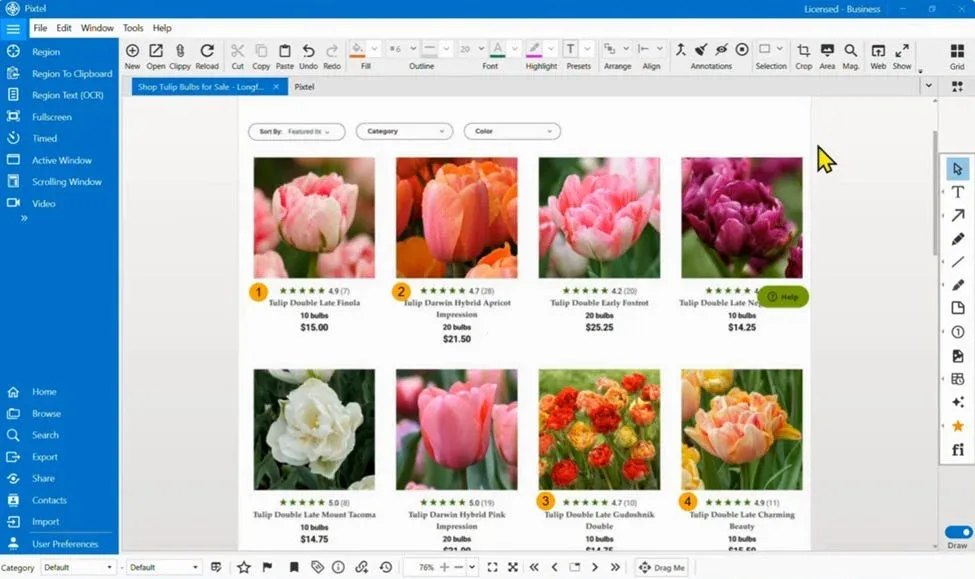
When you create guides, tutorials, or step-by-step instructions, it’s often important not just to highlight areas — but to show the order of actions clearly. This is where Pixtel’s highlighting tools become especially useful. You can add numbered frames to your screenshots so viewers can easily follow each step in sequence.
Why Use Ranking?
Sometimes a simple highlight is not enough. You may want to:
- Show Step 1, Step 2, Step 3 clearly
- Guide users through a process visually
- Avoid confusion when multiple elements are present in one screenshot
Using numbered shapes (counter rectangles), Pixtel helps you present instructions in a clean and structured way.
How to Create Numbered Highlights in Pixtel?
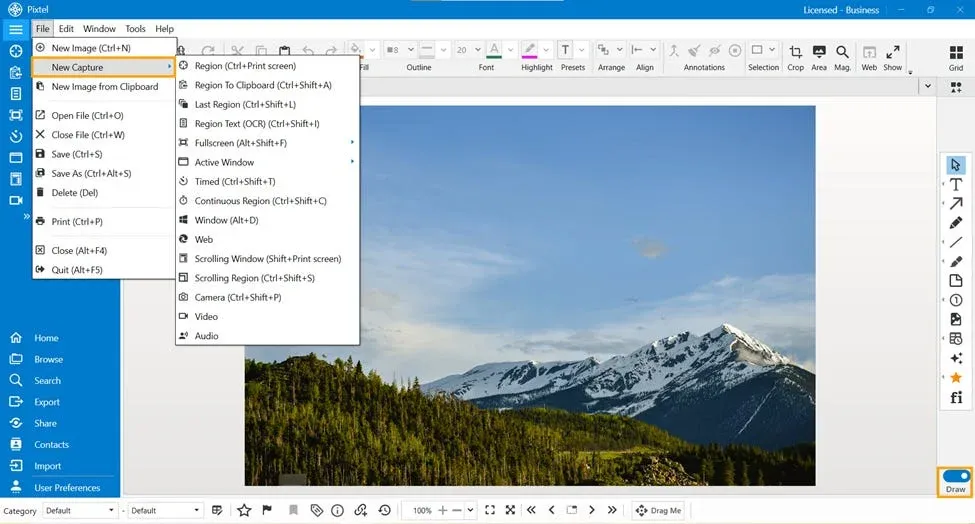
Start by capturing or importing your image:
- Use Pixtel’s capture options or the Import feature
- The image will open in a new editing tab
Now follow these steps:
- Switch to Draw Mode
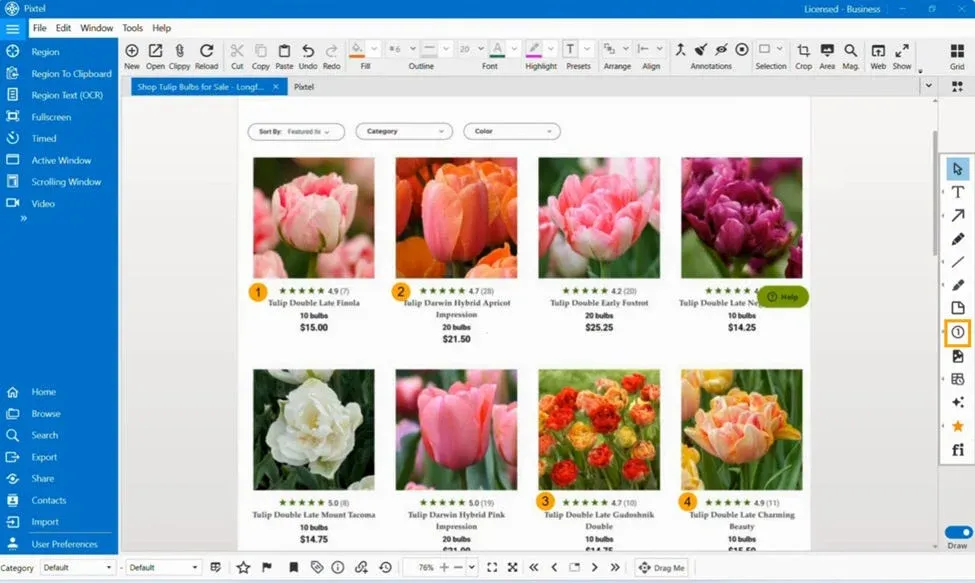
- Select the Counter Rectangle tool
- Click on the areas you want to mark
Each time you add a shape, Pixtel automatically assigns a number (1, 2, 3…), helping you create a step-by-step flow.
Customizing the Numbered Frames
You can easily adjust the look and feel of your highlights:
- Right-click on the shape
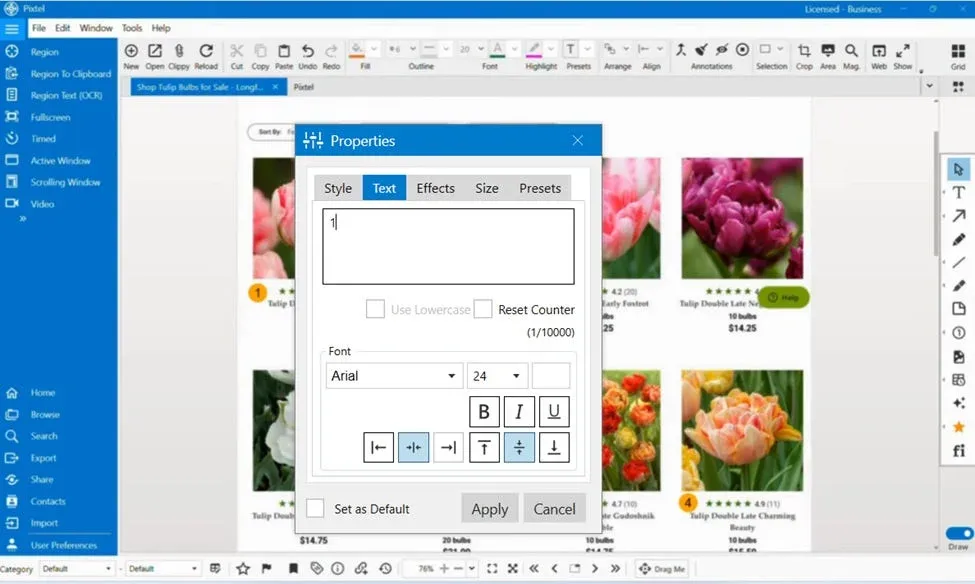
- Click on Properties
Inside the Properties panel, you can:
- Edit or reset the numbering sequence
- Change font style, size, and alignment
- Modify colors to make steps more visible
- Adjust shape size and appearance
This ensures your steps are not only clear but also visually appealing.
Where is This Useful?
Numbered highlighting is especially helpful for:
- Creating user guides and documentation
- Explaining workflows in applications
- Writing how-to blogs or tutorials
- Training materials and presentations
Pixtel’s counter-based highlighting feature makes it easy to turn simple screenshots into clear, step-by-step visual guides. Instead of just pointing at elements, you can tell a complete story with ordered steps, making your content more understandable and professional.
Related reading:
- How to Annotate Images in Pixtel →
- How to Highlight Screenshots Clearly Using Smart Pencil →
- Editing & Highlighting Images in Pixtel →
Capture once and use it forever. It isn’t just a tool — it’s Pixtel.
👉 Download Pixtel · 🎥 Follow us on YouTube · 📘 Read Detailed Documentation
'%3e%3cpath%20d='M6.49988%200.862305L0.380969%206.98121C-0.127315%207.4895%20-0.127315%208.31107%200.380969%208.81936C0.889253%209.32764%201.71083%209.32764%202.21911%208.81936L5.19992%205.83855V15.7C5.19992%2016.4176%205.781%2017%206.49988%2017C7.21875%2017%207.79984%2016.4176%207.79984%2015.7V5.83855L10.7806%208.81936C11.0341%209.07285%2011.3669%209.20024%2011.6997%209.20024C12.0325%209.20024%2012.3653%209.07285%2012.6188%208.81936C13.1271%208.31107%2013.1271%207.4895%2012.6188%206.98121L6.49988%200.862305Z'%20fill='white'/%3e%3c/g%3e%3cdefs%3e%3cclipPath%20id='clip0_1_2'%3e%3crect%20width='13.0002'%20height='16.8995'%20fill='white'%20transform='translate(-0.000244141%200.100533)'/%3e%3c/clipPath%3e%3c/defs%3e%3c/svg%3e)