

Pixtel Home Option: Your Complete Dashboard at a Glance
When working with images in Pixtel — whether you are uploading files, capturing screenshots, or importing media — it can become difficult to keep track of everything. Checking file counts, storage usage, or shared items manually can feel repetitive and time-consuming.
To simplify this, Pixtel provides the Home option, a space designed to give you a complete overview and a smooth starting point for your workflow.
Understanding the Home Section
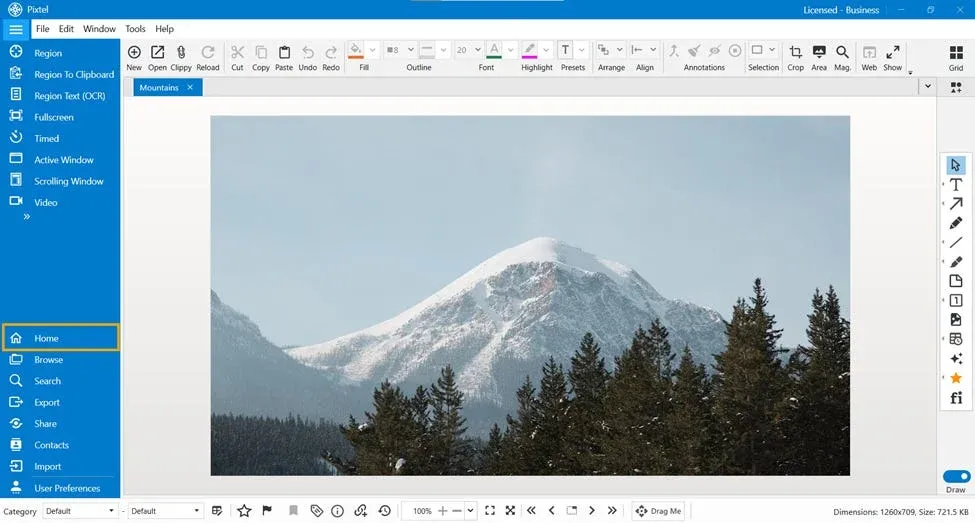
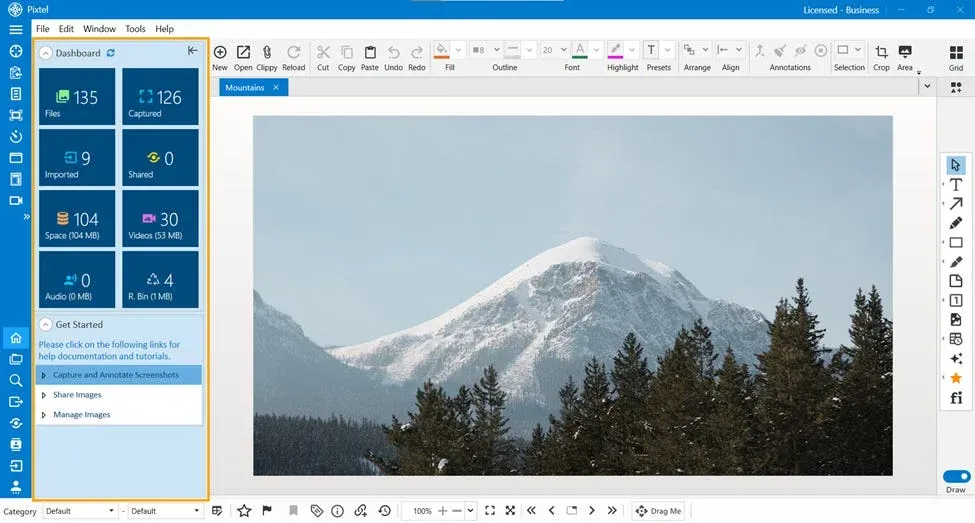
- Within the Home bar, you will find the Home option, and upon clicking it, the Dashboard opens to give you a complete overview of your workspace.
- Dashboard
- Get Started
Each of these plays an important role in helping you manage and explore Pixtel effectively.
Dashboard: A Clear Overview of Your Workspace
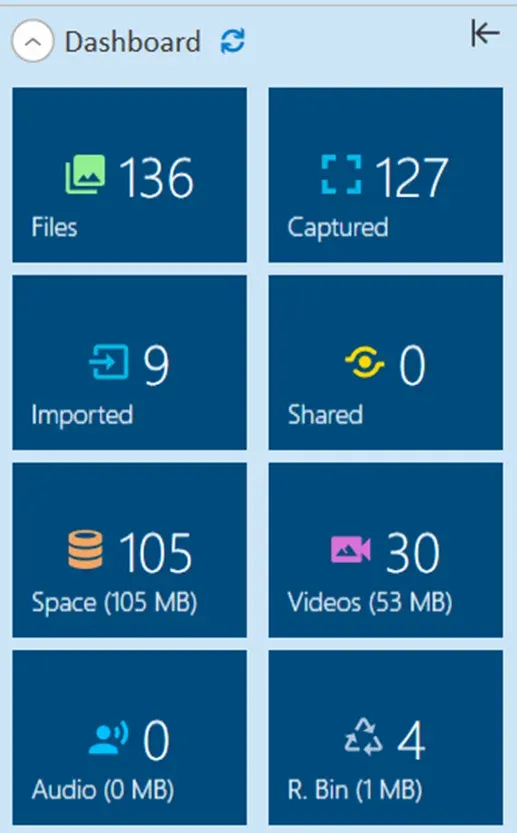
The Dashboard provides a detailed summary of your activity and storage. It allows you to quickly understand what is happening across your Pixtel workspace without needing to check each section individually.
Here, you can view:
- Total number of files
- Number of captured images
- Number of imported files
- Shared files
- Total storage space used
- Video count and their size in MB
- Audio files and their size in MB
- Files available in the recycle bin and their size in MB
With all this information presented in one place, managing your files becomes easier and more efficient.
Get Started: Learn and Explore Pixtel
The Get Started option is especially useful for new users or anyone who wants to understand Pixtel better.
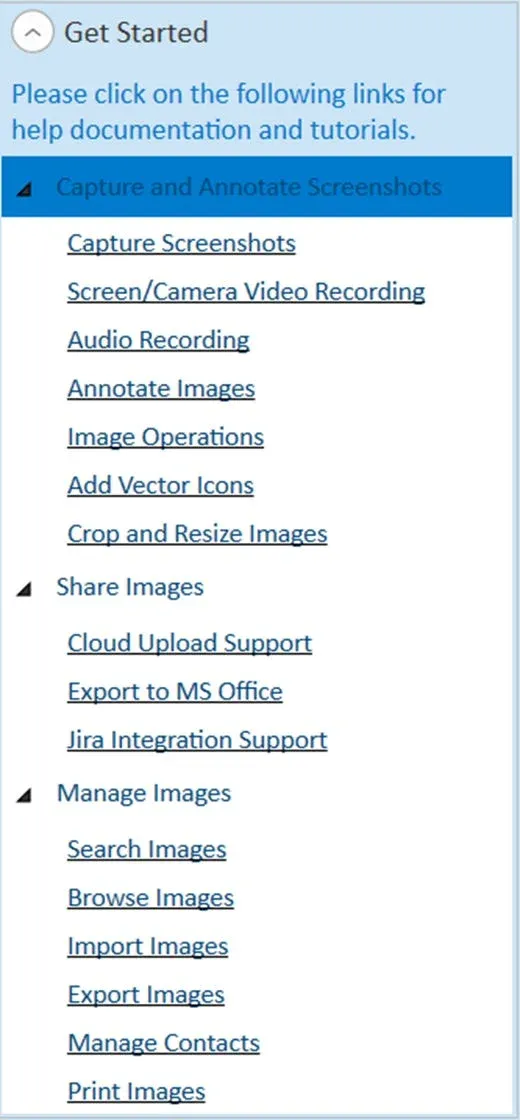
It provides access to documentation and tutorials, divided into three main sections:
- Capture and Annotate Screenshots
- Share Images
- Manage Images
Each section contains helpful guides, and by clicking on them, you will be redirected to detailed documentation. This makes it easy to learn features step by step without confusion.
Why the Home Option Matters
The Home option is not just a starting page — it is a powerful tool that helps you stay organized and informed. It saves time by giving you instant access to important data while also guiding you through the platform’s features.
The Pixtel Home option brings together visibility and guidance in a simple and effective way. Whether you want to monitor your files, check storage usage, or learn how to use Pixtel, everything is available in one place.
It ensures that you are always aware of your workspace while also helping you move forward with ease — making your overall experience more organized, efficient, and user-friendly.
Related reading:
- Quick Access to All Home Bar Options from the Menu Bar →
- Customize Your Workflow with Pixtel User Preferences →
- 4 Easy Ways to Capture Screenshots in Pixtel →
Capture once and use it forever. It isn’t just a tool — it’s Pixtel.
👉 Download Pixtel · 🎥 Follow us on YouTube · 📘 Read Detailed Documentation
'%3e%3cpath%20d='M6.49988%200.862305L0.380969%206.98121C-0.127315%207.4895%20-0.127315%208.31107%200.380969%208.81936C0.889253%209.32764%201.71083%209.32764%202.21911%208.81936L5.19992%205.83855V15.7C5.19992%2016.4176%205.781%2017%206.49988%2017C7.21875%2017%207.79984%2016.4176%207.79984%2015.7V5.83855L10.7806%208.81936C11.0341%209.07285%2011.3669%209.20024%2011.6997%209.20024C12.0325%209.20024%2012.3653%209.07285%2012.6188%208.81936C13.1271%208.31107%2013.1271%207.4895%2012.6188%206.98121L6.49988%200.862305Z'%20fill='white'/%3e%3c/g%3e%3cdefs%3e%3cclipPath%20id='clip0_1_2'%3e%3crect%20width='13.0002'%20height='16.8995'%20fill='white'%20transform='translate(-0.000244141%200.100533)'/%3e%3c/clipPath%3e%3c/defs%3e%3c/svg%3e)