

Image Rotation and Flip Operations Made Simple with Pixtel
While working with screenshots or imported images, it’s quite common to need quick adjustments — like rotating an image or flipping it for better alignment. In many tools, this requires switching between multiple options or using external software. With Pixtel, these operations are simple, fast, and built right into the editor.
Why These Operations Matter?
Sometimes your image may not be in the correct orientation, or you may want to adjust it for better presentation. For example:
- A screenshot might appear sideways and needs rotation
- You may want to flip an image horizontally to match layout requirements
- Vertical flipping can help in design or comparison scenarios
Pixtel allows you to handle all of this without leaving the platform.
How to Perform Image Operations in Pixtel?
Start by uploading or capturing your image:
- Use the Upload option or capture a screenshot
- The image will open automatically in a new Pixtel editing tab
Once your image is ready:
- Switch to Image Mode
- Choose the required option like Rotate, Flip Horizontal, or Flip Vertical
- Click on the option to instantly apply the change
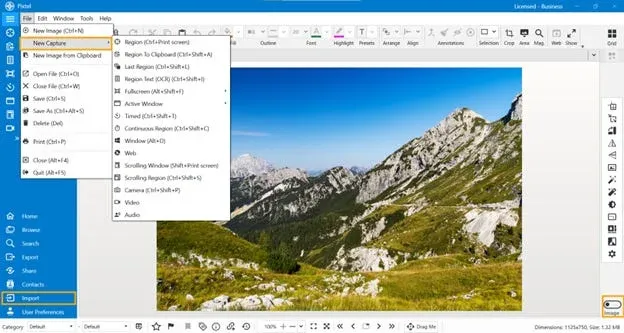
Available Operations
Pixtel provides essential image adjustment options such as:
- Rotate — Adjust the image orientation (clockwise or anticlockwise)
- Flip Horizontal — Mirror the image from left to right
- Flip Vertical — Turn the image upside down
These tools are quick to use and do not affect image quality.
Where This Is Useful
These simple operations are helpful in many cases:
- Fixing incorrectly captured screenshots
- Preparing images for presentations or documentation
- Adjusting visuals for better clarity
- Enhancing the overall look of your content
Pixtel makes basic image editing effortless by bringing essential tools like rotate and flip into one place. Without needing any external software, you can quickly adjust your images and continue your workflow smoothly.
Related reading:
- Cropping and Magnifying Images in Pixtel →
- How to Perform Image Operations in Pixtel: Resize, Enhance & Transform →
- Editing Screenshots in Pixtel: Cut, Copy, Paste, Undo & Redo →
Capture once and use it forever. It isn’t just a tool — it’s Pixtel.
👉 Download Pixtel · 🎥 Follow us on YouTube · 📘 Read Detailed Documentation
'%3e%3cpath%20d='M6.49988%200.862305L0.380969%206.98121C-0.127315%207.4895%20-0.127315%208.31107%200.380969%208.81936C0.889253%209.32764%201.71083%209.32764%202.21911%208.81936L5.19992%205.83855V15.7C5.19992%2016.4176%205.781%2017%206.49988%2017C7.21875%2017%207.79984%2016.4176%207.79984%2015.7V5.83855L10.7806%208.81936C11.0341%209.07285%2011.3669%209.20024%2011.6997%209.20024C12.0325%209.20024%2012.3653%209.07285%2012.6188%208.81936C13.1271%208.31107%2013.1271%207.4895%2012.6188%206.98121L6.49988%200.862305Z'%20fill='white'/%3e%3c/g%3e%3cdefs%3e%3cclipPath%20id='clip0_1_2'%3e%3crect%20width='13.0002'%20height='16.8995'%20fill='white'%20transform='translate(-0.000244141%200.100533)'/%3e%3c/clipPath%3e%3c/defs%3e%3c/svg%3e)