

Copy & Paste Images into Pixtel — No Download Needed
Sometimes while working, you find an image in a browser, email, document, or any other application and want to edit it quickly.
Instead of downloading the image and importing it manually, Pixtel makes it easy with simple copy and paste.
📋 Just Copy and Paste!
Option 1: Open Image in a New Pixtel Tab
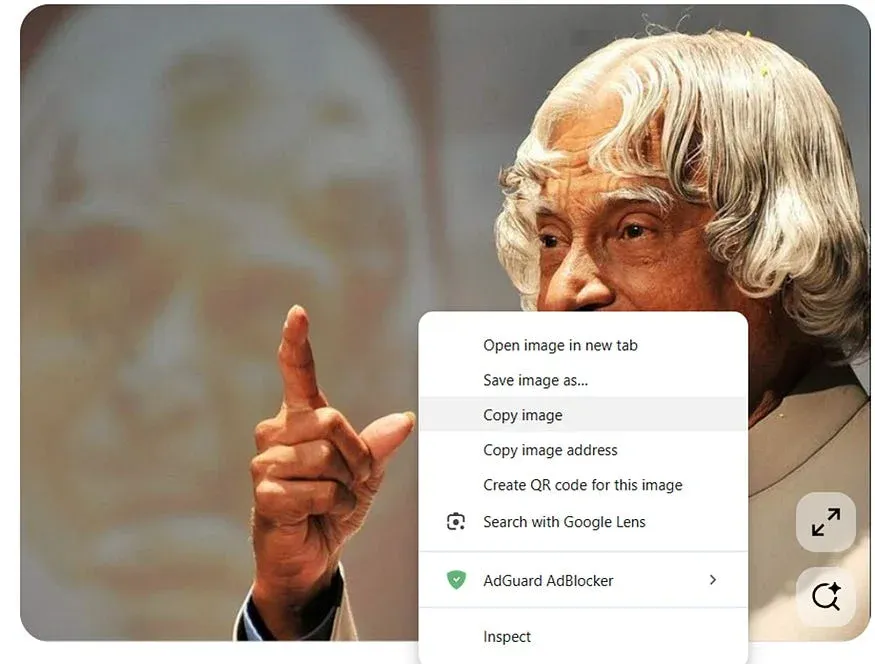
- Copy the image from any application (Ctrl + C or Right-click → Copy Image)
- Open Pixtel
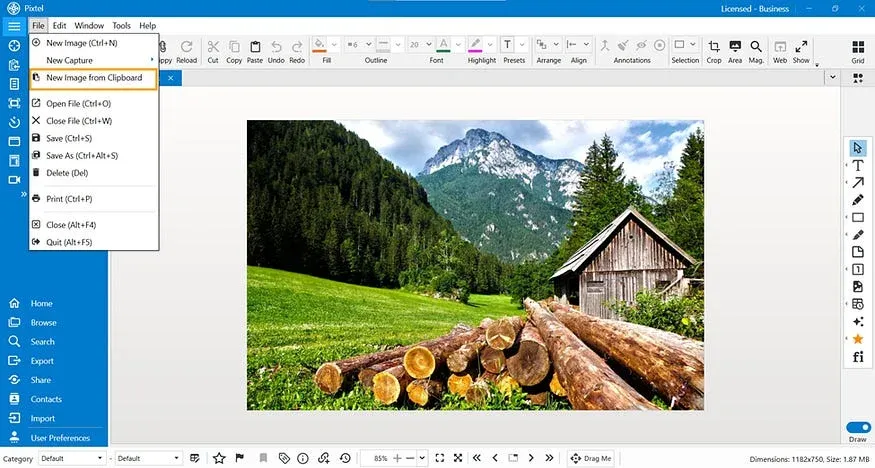
- Click on File from the menu bar
- Select New Image from Clipboard
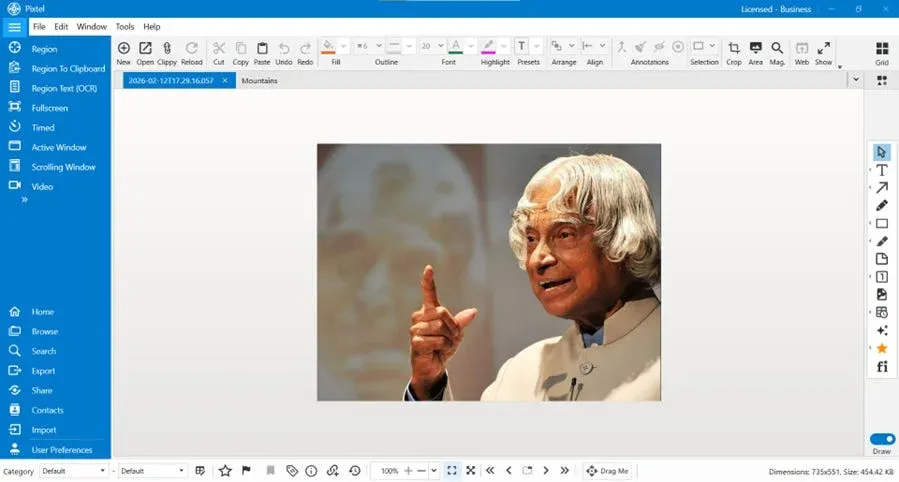
- The image will open instantly in a new Pixtel tab
No downloads. No extra steps.
Option 2: Paste into an Existing Tab
If you are already working inside Pixtel:
- Copy the image
- Go to your current Pixtel screen
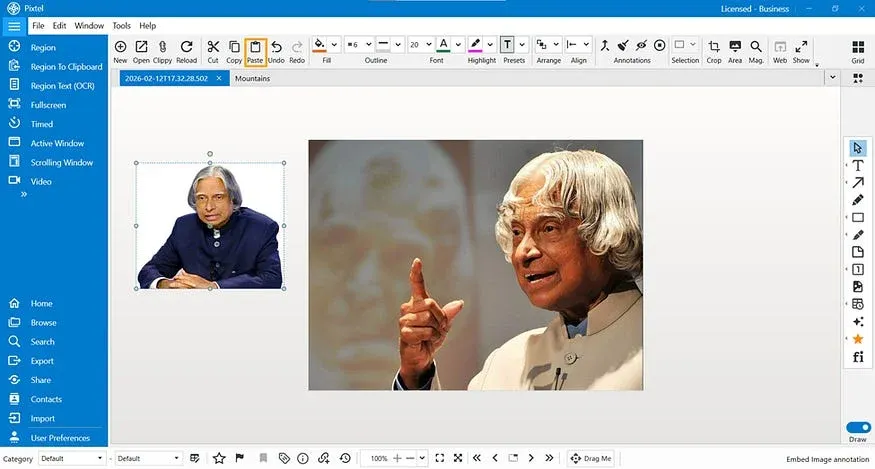
- Press Ctrl + V or Click Paste from the toolbar to insert the copied image into the current canvas.
That’s it! The image will be pasted directly into your existing canvas.
Edit. Annotate. Enhance.
Once the image is pasted, you can:
- Add text and comments
- Draw arrows and highlights
- Blur sensitive information
- Crop or resize
- Add shapes or markings
Everything can be done instantly within Pixtel.
Share in Seconds
After editing, you can easily:
- Share via link
- Export to Word, Excel, or PowerPoint
- Upload to FTP
- Send to collaboration tools
You can complete the full flow — Copy → Paste → Edit → Share — in just a few clicks.
Why This is Useful
This feature is especially helpful for:
- QA documentation
- Bug reporting
- Creating tutorials
- Preparing presentations
- Sharing quick updates with your team
With Pixtel, you don’t need to download files anymore. Just copy, paste, perform your operations, and share — simple and fast.
The copy and paste feature in Pixtel makes image handling faster and more efficient than ever. Instead of downloading files and going through multiple steps, you can simply copy an image from any application, paste it directly into Pixtel, perform the required edits, and share it instantly.
This seamless workflow — Copy → Paste → Edit → Share — saves time, reduces effort, and improves
Related reading:
- How Many Ways Are Available to Upload or Add Files into Pixtel →
- How to Import and Export Captures in One Place with Pixtel →
- New Image Feature in Pixtel: Create Custom Designs Instantly →
Capture once and use it forever. It isn’t just a tool — it’s Pixtel.
👉 Download Pixtel · 🎥 Follow us on YouTube · 📘 Read Detailed Documentation
'%3e%3cpath%20d='M6.49988%200.862305L0.380969%206.98121C-0.127315%207.4895%20-0.127315%208.31107%200.380969%208.81936C0.889253%209.32764%201.71083%209.32764%202.21911%208.81936L5.19992%205.83855V15.7C5.19992%2016.4176%205.781%2017%206.49988%2017C7.21875%2017%207.79984%2016.4176%207.79984%2015.7V5.83855L10.7806%208.81936C11.0341%209.07285%2011.3669%209.20024%2011.6997%209.20024C12.0325%209.20024%2012.3653%209.07285%2012.6188%208.81936C13.1271%208.31107%2013.1271%207.4895%2012.6188%206.98121L6.49988%200.862305Z'%20fill='white'/%3e%3c/g%3e%3cdefs%3e%3cclipPath%20id='clip0_1_2'%3e%3crect%20width='13.0002'%20height='16.8995'%20fill='white'%20transform='translate(-0.000244141%200.100533)'/%3e%3c/clipPath%3e%3c/defs%3e%3c/svg%3e)