

Color Effects in Pixtel: Posterize, Invert, Black & White
Editing colors and tones in images often requires advanced tools and technical knowledge. From reducing color levels to creating high-contrast black and white visuals, traditional editing can be complex and time-consuming.
Pixtel makes this process simple. With built-in color effects, you can transform your images quickly without needing any design expertise. Whether you’re working on screenshots or imported images, Pixtel helps you achieve professional results with ease.
How to Upload Images in Pixtel?
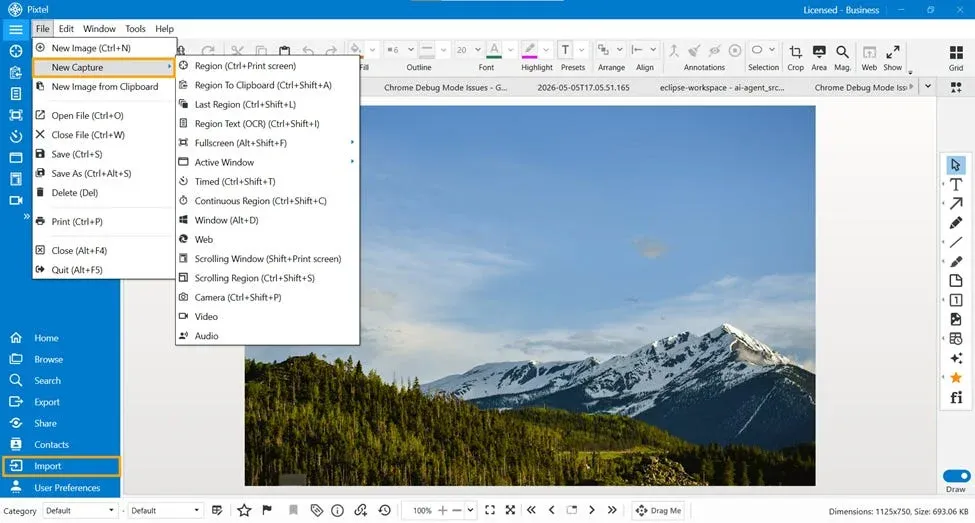
Getting started with image editing in Pixtel is simple. You can:
- Import images directly from your system
- Capture screenshots using Pixtel’s built-in capture options
Once you capture or upload an image, it opens in a new Pixtel tab where you can start editing immediately.
Accessing Color Effects
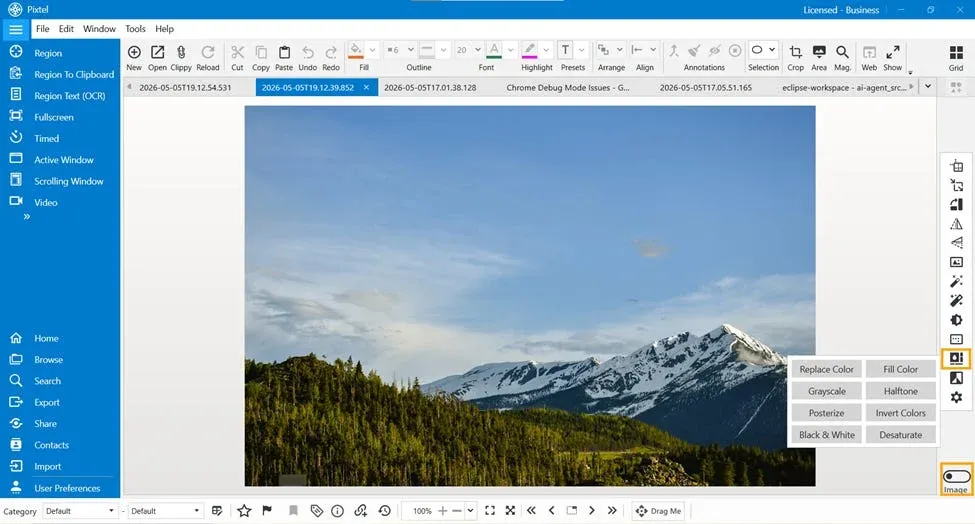
To use color effects:
- Switch to Image Mode
- Navigate to the Color Effects option
- Click to open the effects panel
Pixtel allows you to apply these effects either to the full image or to selected regions (except where specified).
Color Effects in Pixtel
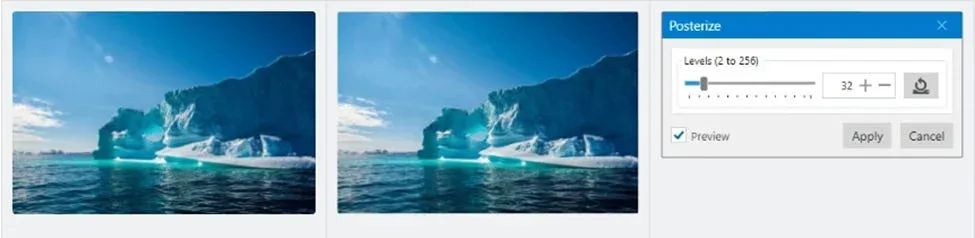
Posterize
Posterize reduces the number of colors in an image, giving it a flat and poster-like appearance. You can control the number of levels (for example, 32 levels) to adjust how simplified the image looks.Best for: Creating artistic posters and stylized visuals.
Invert Colors
Invert Colors reverses the color values in the image — light areas become dark and dark areas become light.Best for: Creating negative-style images and visual effects.

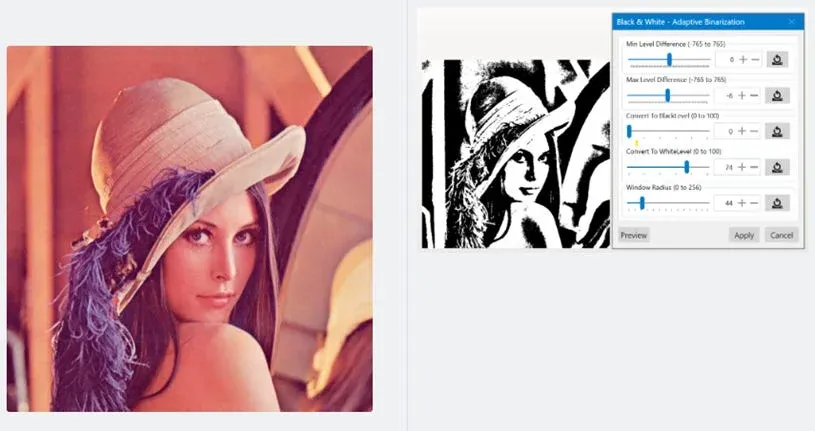
Black & White (Adaptive Binarization)
This effect converts the image into pure black and white using adaptive binarization. It includes control parameters that help adjust the quality and clarity of the output.Best for: High-contrast images, documents, and clear visual separation.
Desaturate
Desaturate reduces the color intensity in an image, making it appear faded while still retaining some details. It can also be applied to selected areas using tools like the Lasso tool.Best for: Subtle edits and reducing color distraction.
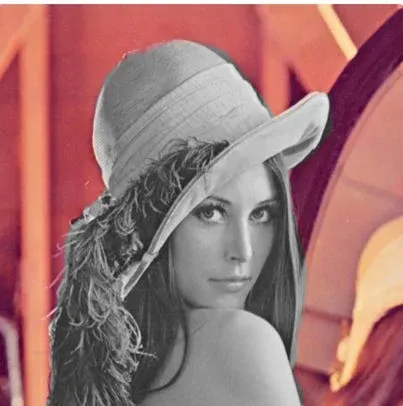
Pixtel continues to simplify image editing with its advanced color effects. Features like Posterize, Invert Colors, Black & White, and Desaturate allow you to transform images creatively and efficiently.
With easy access, quick application, and flexible controls, Pixtel helps you achieve high-quality results without relying on complex software.
Related reading:
- Color Effects in Pixtel: Easily Transform Image Colors →
- Image Effects in Pixtel: Edit Images Instantly Without Photoshop →
- Enhance Your Images Effortlessly with Pixtel Image Effects →
Capture once and use it forever. It isn’t just a tool — it’s Pixtel.
👉 Download Pixtel · 🎥 Follow us on YouTube · 📘 Read Detailed Documentation
'%3e%3cpath%20d='M6.49988%200.862305L0.380969%206.98121C-0.127315%207.4895%20-0.127315%208.31107%200.380969%208.81936C0.889253%209.32764%201.71083%209.32764%202.21911%208.81936L5.19992%205.83855V15.7C5.19992%2016.4176%205.781%2017%206.49988%2017C7.21875%2017%207.79984%2016.4176%207.79984%2015.7V5.83855L10.7806%208.81936C11.0341%209.07285%2011.3669%209.20024%2011.6997%209.20024C12.0325%209.20024%2012.3653%209.07285%2012.6188%208.81936C13.1271%208.31107%2013.1271%207.4895%2012.6188%206.98121L6.49988%200.862305Z'%20fill='white'/%3e%3c/g%3e%3cdefs%3e%3cclipPath%20id='clip0_1_2'%3e%3crect%20width='13.0002'%20height='16.8995'%20fill='white'%20transform='translate(-0.000244141%200.100533)'/%3e%3c/clipPath%3e%3c/defs%3e%3c/svg%3e)