

Upload Screenshots & Media to OneDrive Without Switching Apps
Need to upload screenshots, images, or media files to OneDrive without jumping between apps?
Pixtel lets you upload media files directly to OneDrive — whether it’s a single file or multiple files — right from one platform. Capture, manage, and upload your files without breaking your workflow.
Upload a Single File to OneDrive Using Pixtel
Step 1: Capture or Import Media Files
Capture a screenshot using Pixtel, or import existing media files using the
Import option.
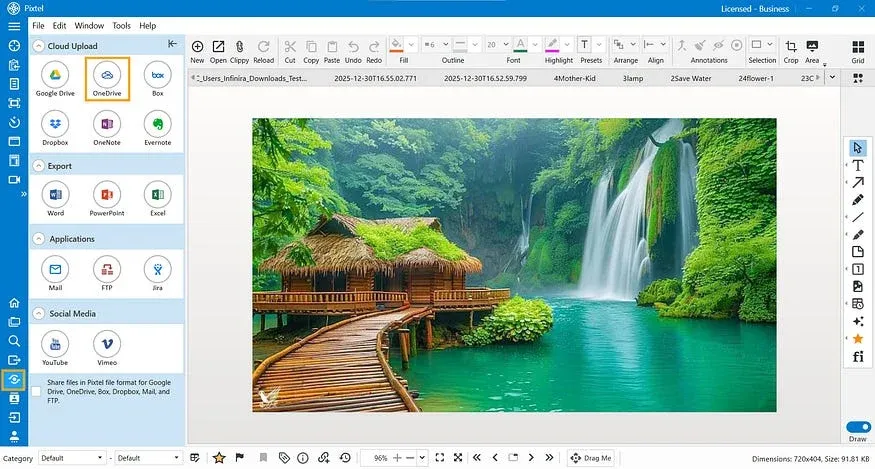
From the menu bar, click Share.You’ll see multiple sharing and cloud upload options.
Step 3: Choose OneDrive
Under Cloud Upload options, select OneDrive.
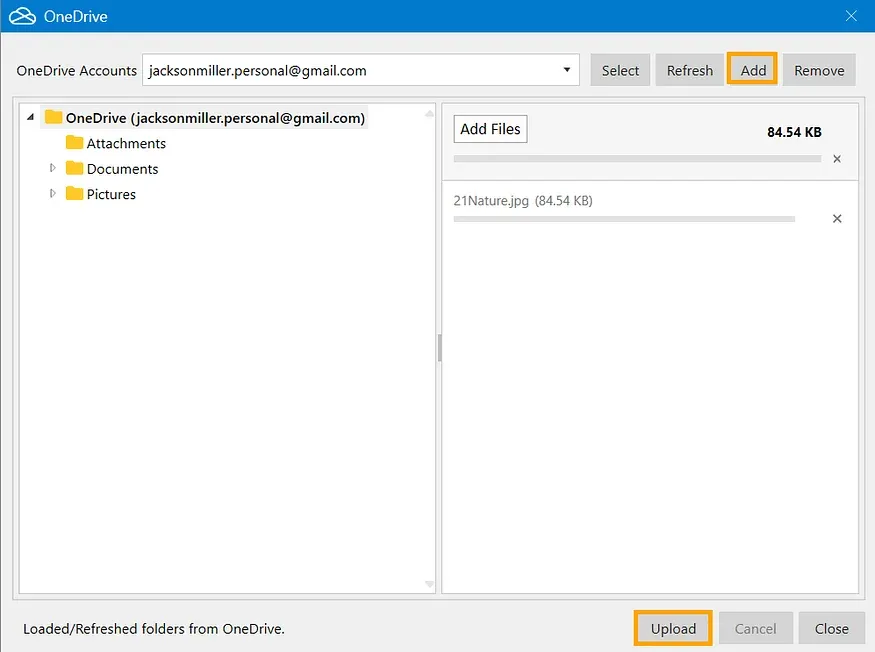
Step 4: Link Your OneDrive Account (First-Time Users)
If this is your first time uploading to OneDrive:
- Click Add Account
- Select your Microsoft account email
- Grant the required access permissions to Pixtel
- Click Select to load your account
Your OneDrive account is now securely linked.
Step 5: Upload the File
Once linked, click Upload.Your file is instantly uploaded to OneDrive.
Upload Multiple Files at Once Using Grid View
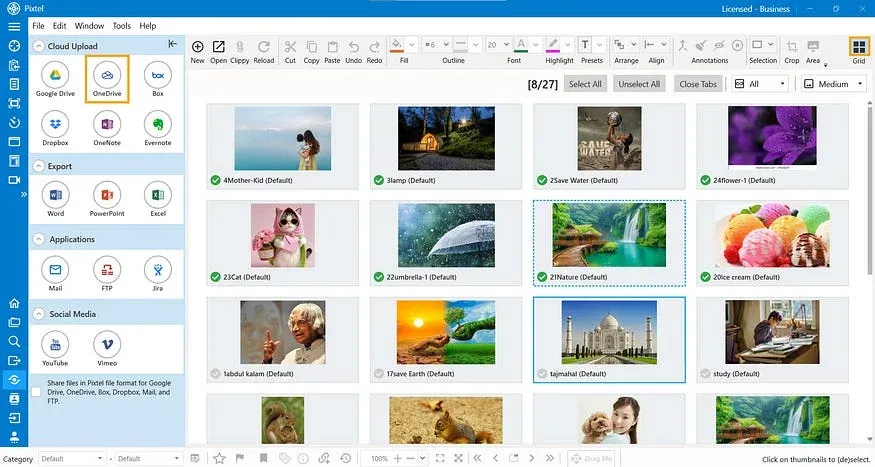
Step 1: Switch to Grid View
Open Grid View to see all your captured and imported media files in one place.
Step 2: Select Multiple Files
Click on the files you want to upload.Selected files are highlighted and ready for sharing.
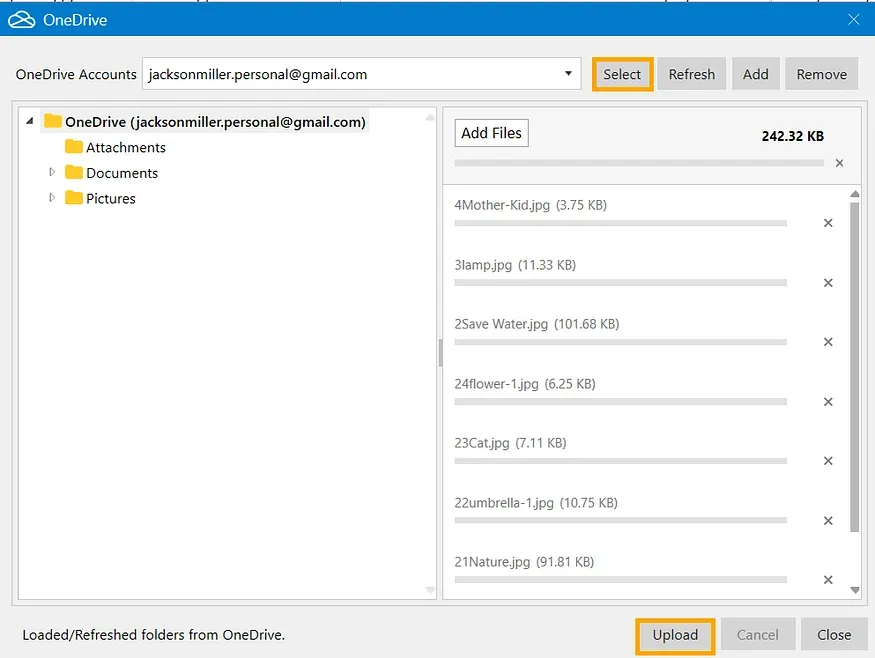
Step 3: Upload to OneDrive
- Click Share
- Choose OneDrive
- Click Upload
All selected files are uploaded to your OneDrive in one go.
Why Use Pixtel for OneDrive Uploads?
- Upload single or multiple files effortlessly
- No need to switch between apps or browsers
- Secure account linking with permission control
- Capture, manage, and upload — all from one platform
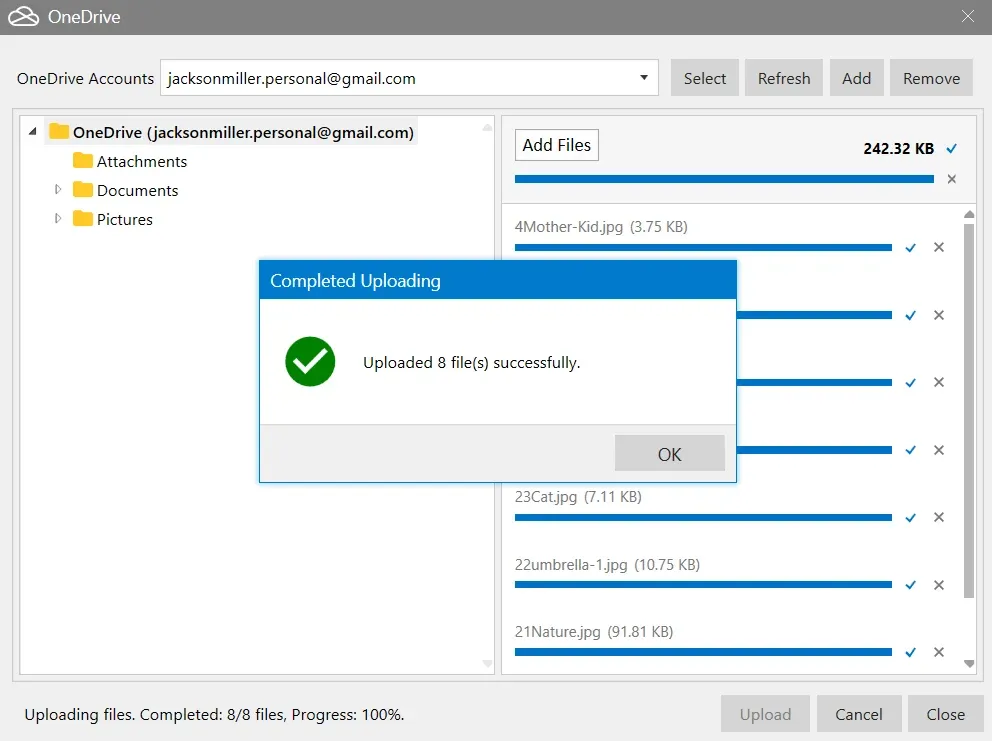
With Pixtel, uploading media files to OneDrive is fast, simple, and seamless. Whether you’re sharing a single screenshot or uploading multiple files in bulk, Pixtel keeps everything in one place — saving time and improving productivity.
No switching. No interruptions.
Related reading:
- From Screenshot to Cloud: Uploading to Dropbox with Pixtel →
- Upload Media Files to Google Drive Seamlessly Using Pixtel →
- Upload Media Files to Box Using Pixtel →
Capture once and use it forever. It isn’t just a tool — it’s Pixtel.
👉 Download Pixtel · 🎥 Follow us on YouTube · 📘 Read Detailed Documentation
'%3e%3cpath%20d='M6.49988%200.862305L0.380969%206.98121C-0.127315%207.4895%20-0.127315%208.31107%200.380969%208.81936C0.889253%209.32764%201.71083%209.32764%202.21911%208.81936L5.19992%205.83855V15.7C5.19992%2016.4176%205.781%2017%206.49988%2017C7.21875%2017%207.79984%2016.4176%207.79984%2015.7V5.83855L10.7806%208.81936C11.0341%209.07285%2011.3669%209.20024%2011.6997%209.20024C12.0325%209.20024%2012.3653%209.07285%2012.6188%208.81936C13.1271%208.31107%2013.1271%207.4895%2012.6188%206.98121L6.49988%200.862305Z'%20fill='white'/%3e%3c/g%3e%3cdefs%3e%3cclipPath%20id='clip0_1_2'%3e%3crect%20width='13.0002'%20height='16.8995'%20fill='white'%20transform='translate(-0.000244141%200.100533)'/%3e%3c/clipPath%3e%3c/defs%3e%3c/svg%3e)